

To help everyone get the most out of class time, we ask that students follow the etiquette guidelines below. Each instructor may have slightly different preferences, so always feel free to follow their lead if they give different instructions.
📍 General Guidelines
Arrive a few minutes early so you’re settled in the waiting room before class begins.
Keep yourself muted unless the instructor invites you to unmute or you're called on.
Use the chat for questions or comments unless the instructor encourages open conversation.
Limit distractions by finding a quiet space and turning off notifications when possible.
🎙 Asking Questions
Some instructors prefer you ask questions in real-time by unmuting, while others prefer you type questions into the chat so they can respond at a good stopping point.
If you're unsure what your instructor prefers, the default is to use the chat, and unmute only if invited.
You can always message your moderator privately in the chat if you’re unsure or need help during class.
💬 Using the Zoom Chat
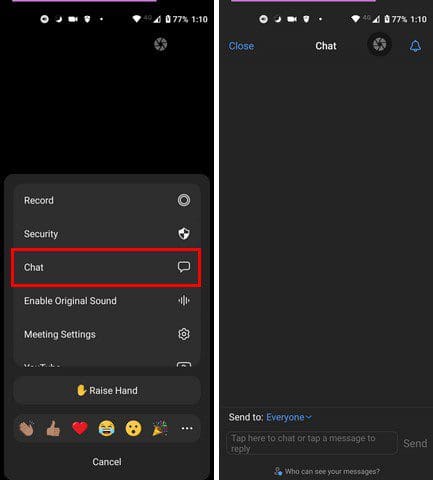
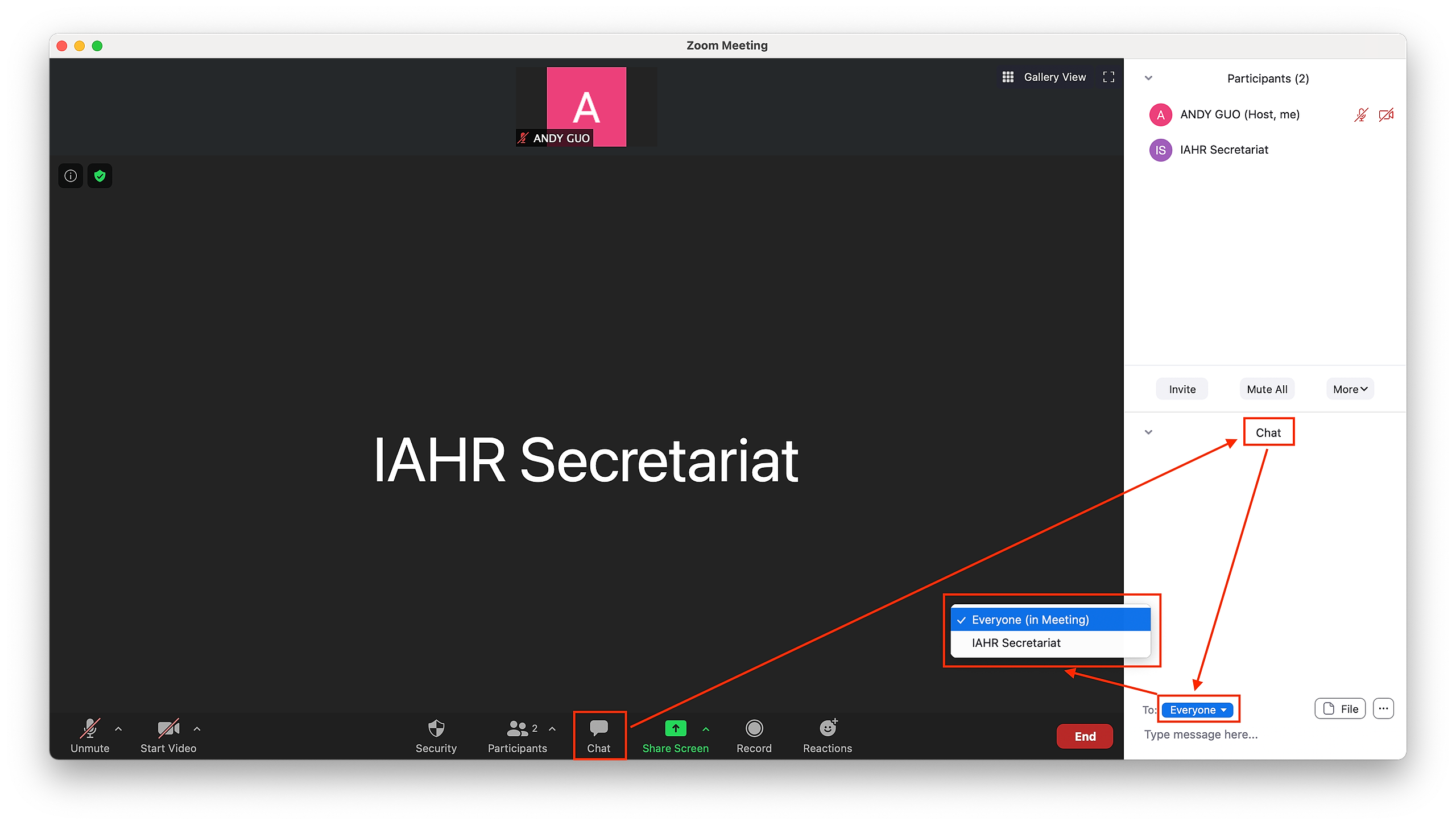
To access the chat, click the Chat icon in the Zoom toolbar (usually at the bottom of your screen).
To send a message to everyone, make sure “To: Everyone” is selected.
To message the moderator privately, click the dropdown next to “To:” and select their name.
If you don’t see the chat panel, try:
Clicking “More” (three dots) in the toolbar if you're on a smaller screen
Expanding your Zoom window if parts of the toolbar are hidden

🧑🎨 During Demonstrations
When an instructor is demonstrating or sharing their screen, please hold questions until they pause or invite them, to avoid interrupting the flow of the lesson.
📸 Cameras
You’re welcome to have your camera on or off—whatever helps you focus best.
During discussions or critiques, you may be invited to turn on your camera to help foster a more connected group environment, but it's not required.
💡 Need Help?
If you're having any trouble during class—whether it's a tech issue, question about the material, or a personal accessibility need—you can:
Message your moderator privately in the Zoom chat
Email us anytime at hello@terracotta.art and we’ll be happy to help
Thank you for helping make our Zoom classes welcoming, focused, and respectful for everyone!