

You can update your membership at any time from your account. This includes but is not limited to: changing level of membership, pausing, or cancelling.
Learn how to modify your subscription in this short video tutorial, or keep reading the article below.
1.) Log into your Terracotta account. Need help logging in? Read this article!
2.) Go to the "Menu" in the top right corner.

3.) Select "My Account"

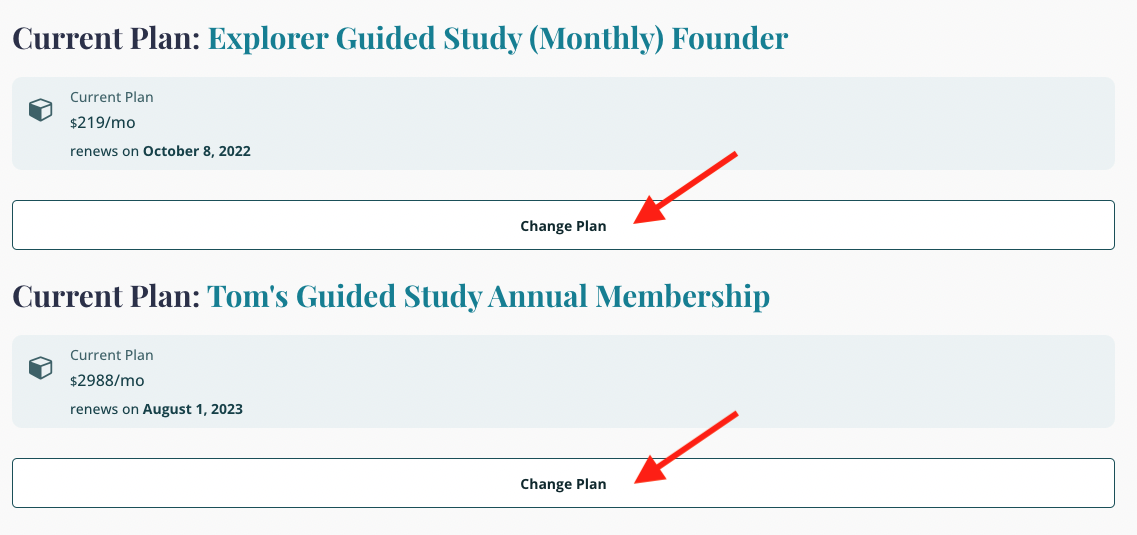
4.) Scroll down to view your current plan(s)
5.) Click on "Change Plan" to make any modifications to your plan
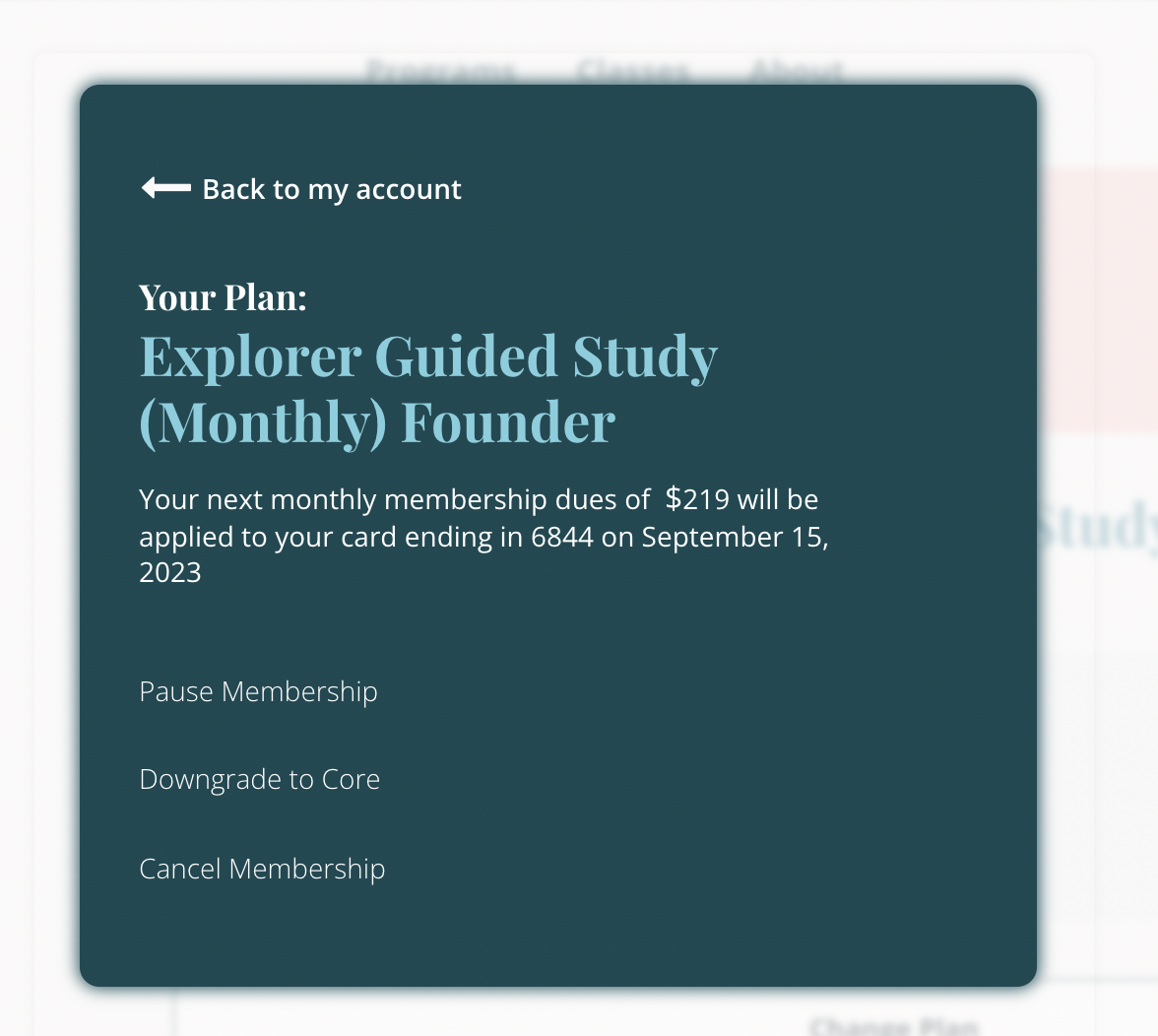
You can choose to Pause, Downgrade, Upgrade, or Cancel your membership:
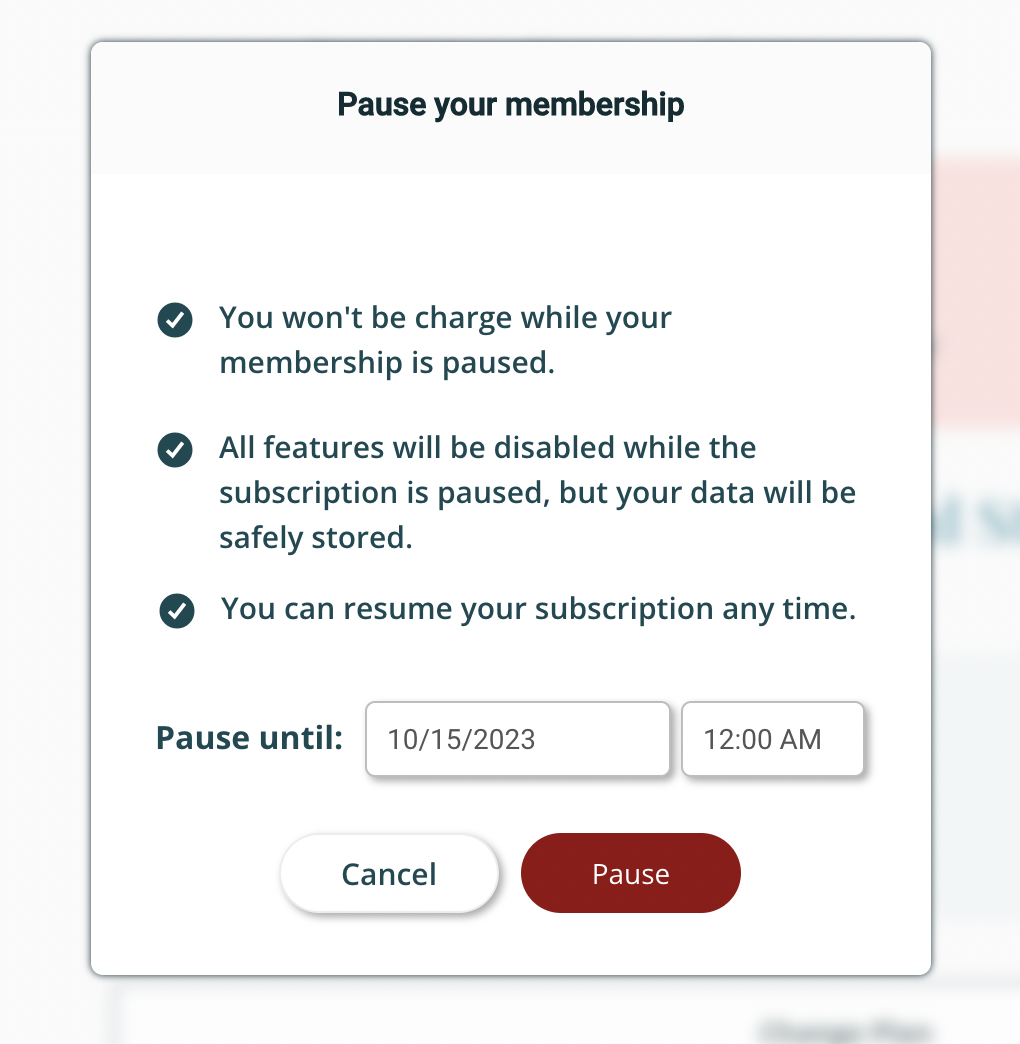
For Pausing, set the time frame in which you'd like to pause your membership.
Questions? We're here to help!
Reach out to us at hello@terracotta.art