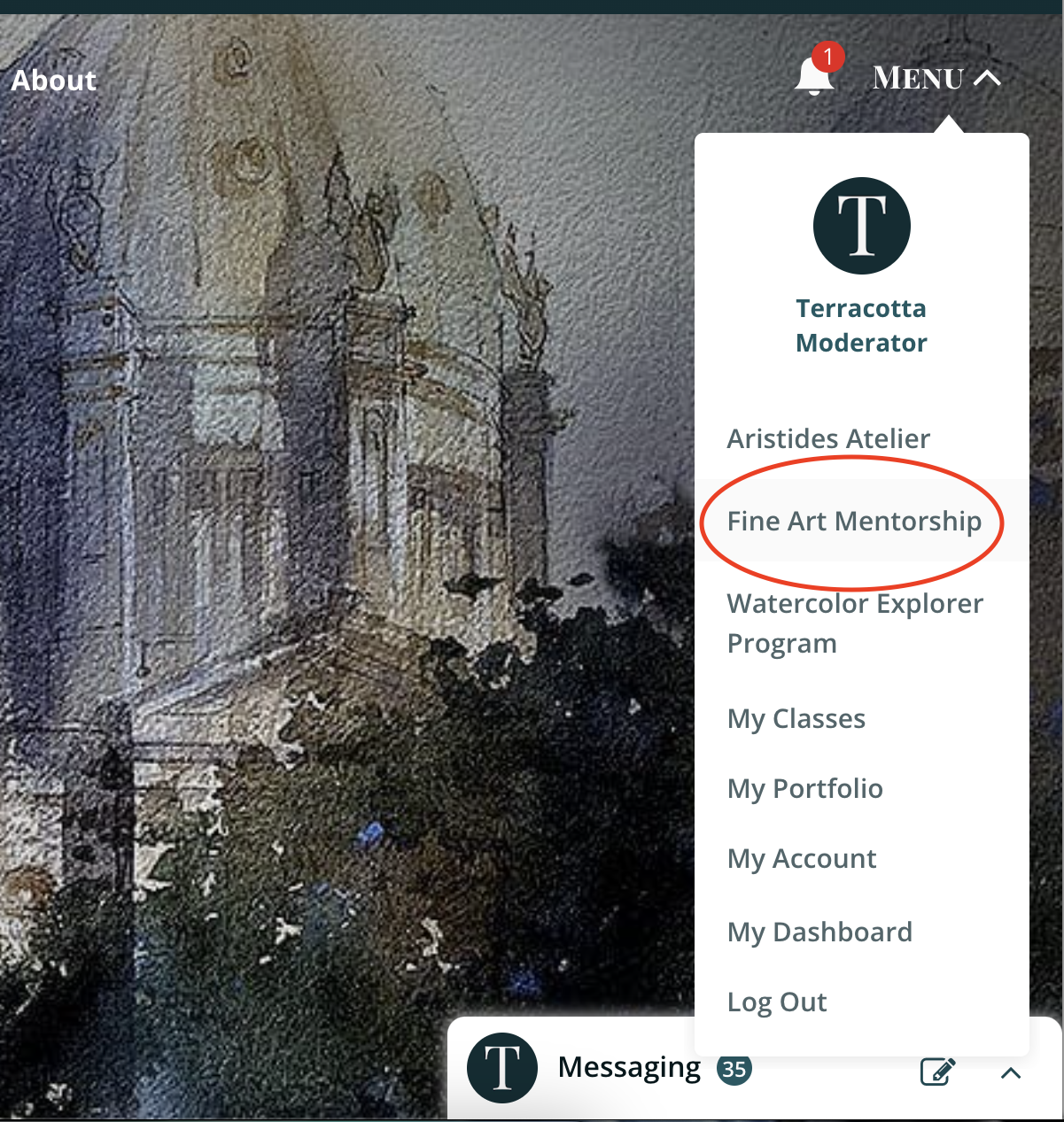
Step One: Once you are logged into your Terracotta account, select Menu and choose Fine Art Mentorship.
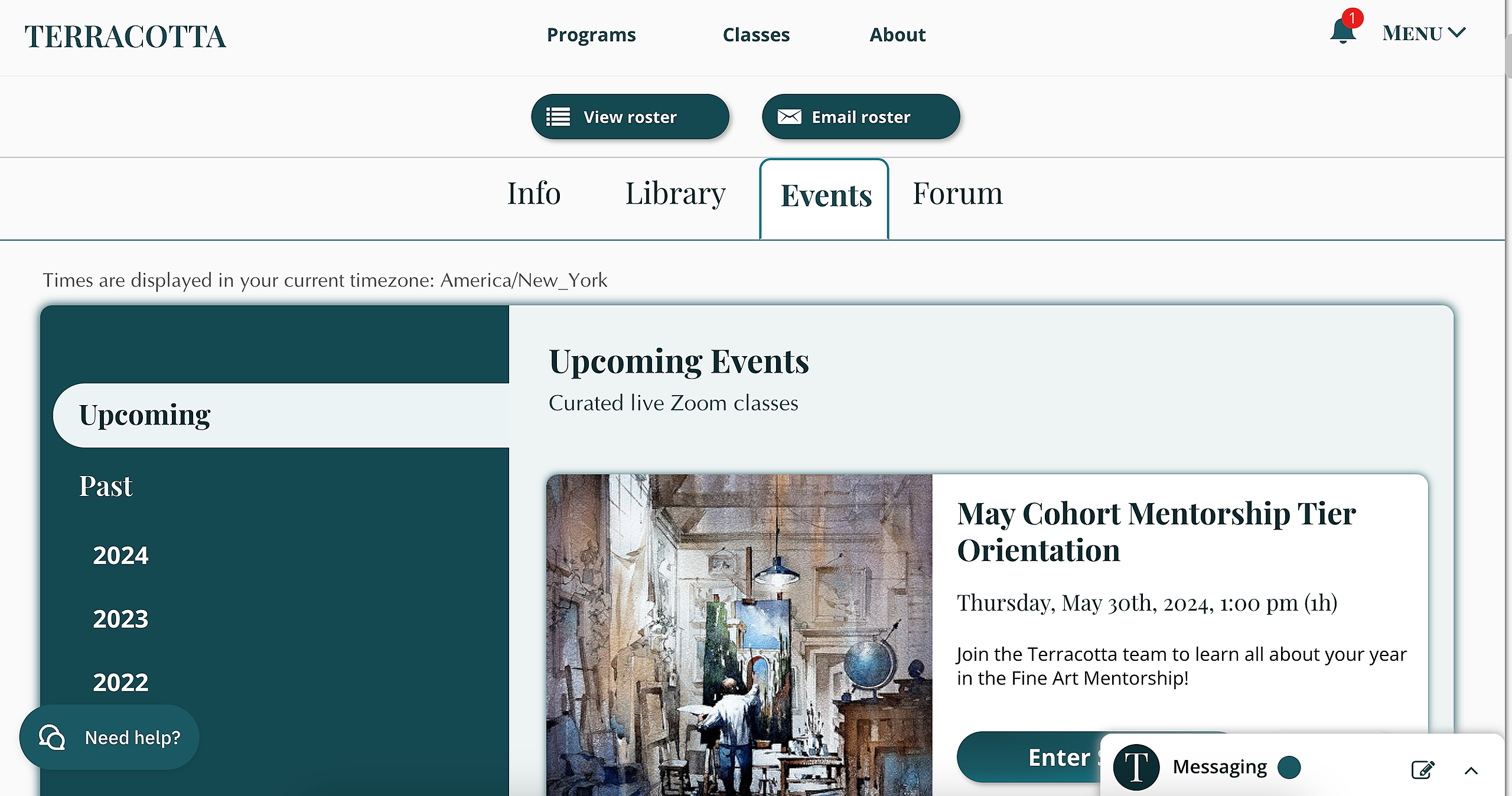
Step Two: Once you are in the Mentorship, select Events to view the upcoming critique sessions and all past and future events.
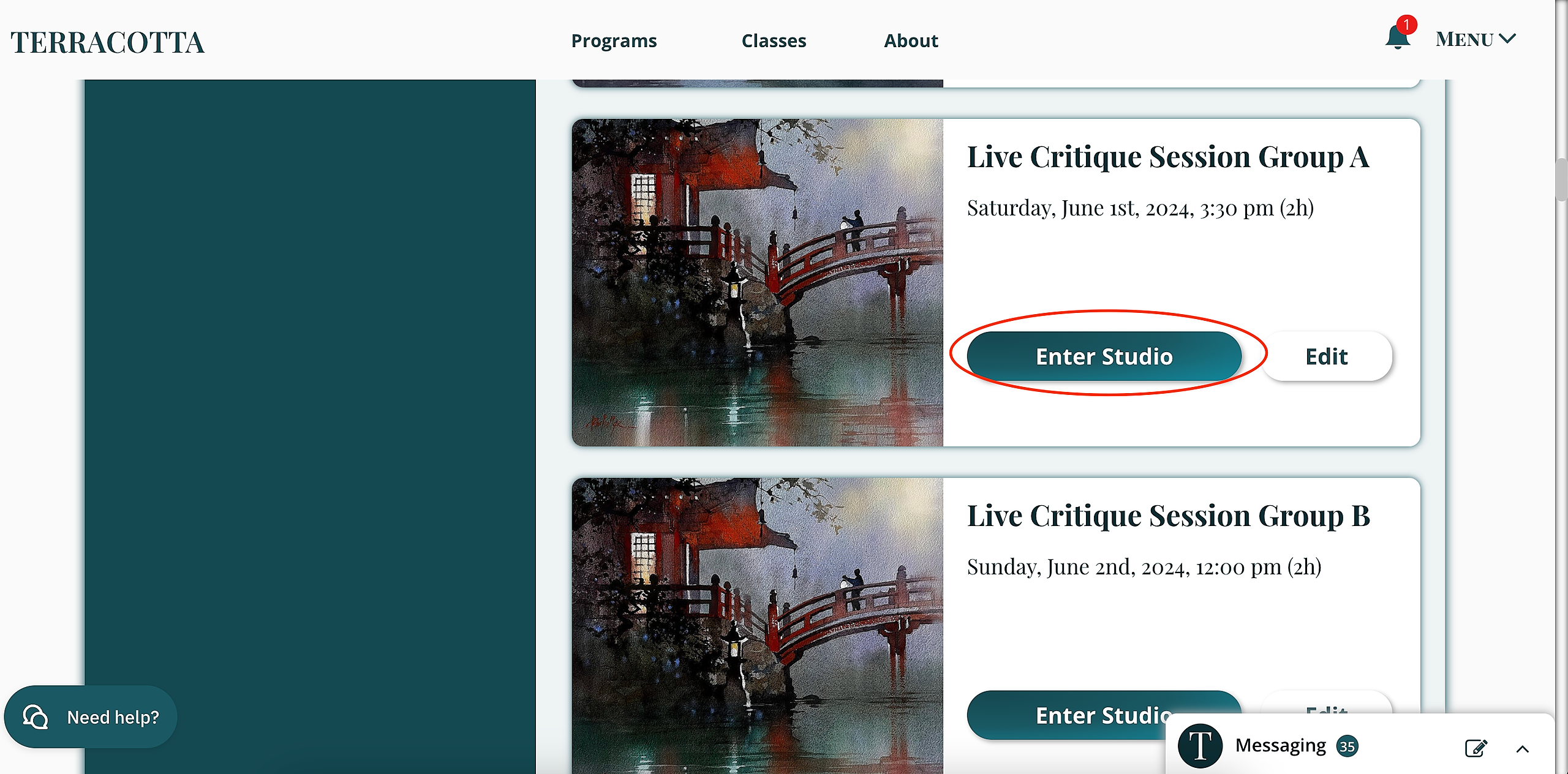
Step Three: Enter Studio of the specific Live Critique Session (older students select Fall Cohort, while newer students are 2024 Cohorts).
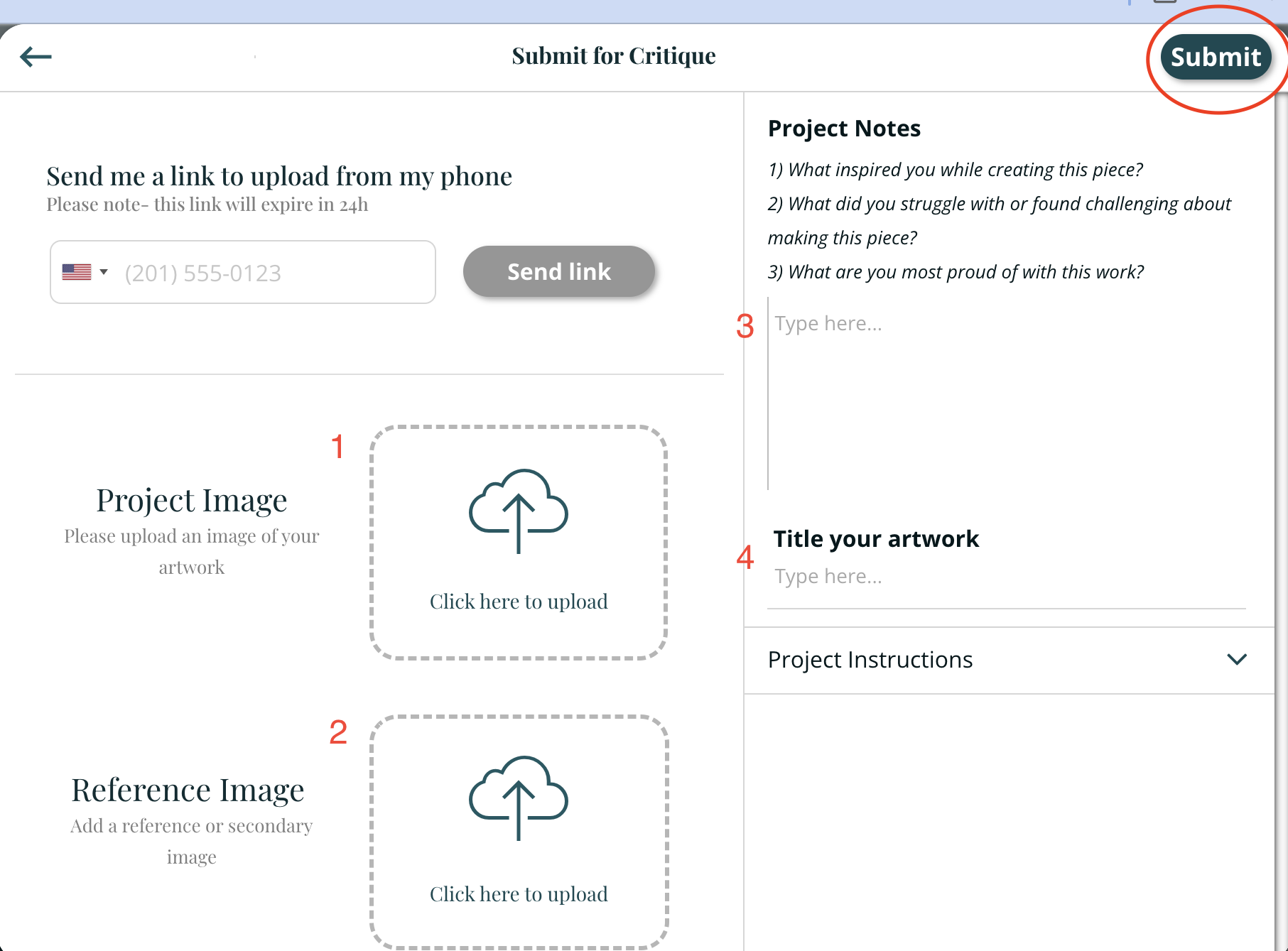
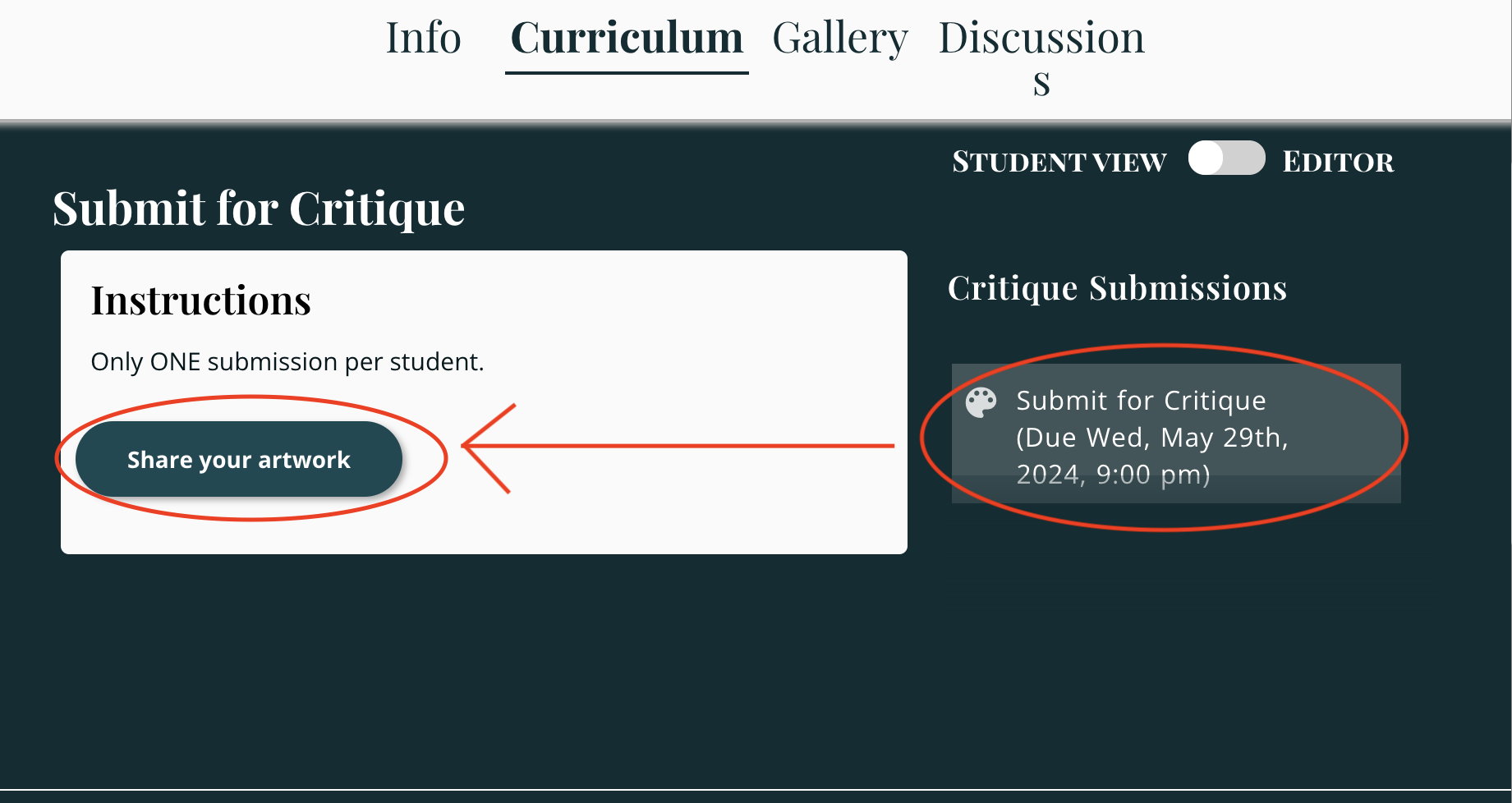
Step Four: After the specific studio, you'll select Curriculum. To the righthand side, you will click Submit for Critique (where you will also see the deadline). Then select Share your artwork.
Step Five: The first step within sharing your artwork is to share your image, next the reference image (which Thomas usually prefers if you do upload this, but if you don't have one, that is okay). Next, share a few words, answering the questions in Project Notes. Finally, provide the name of your artwork. Afterward, you can click Submit in the top right corner.