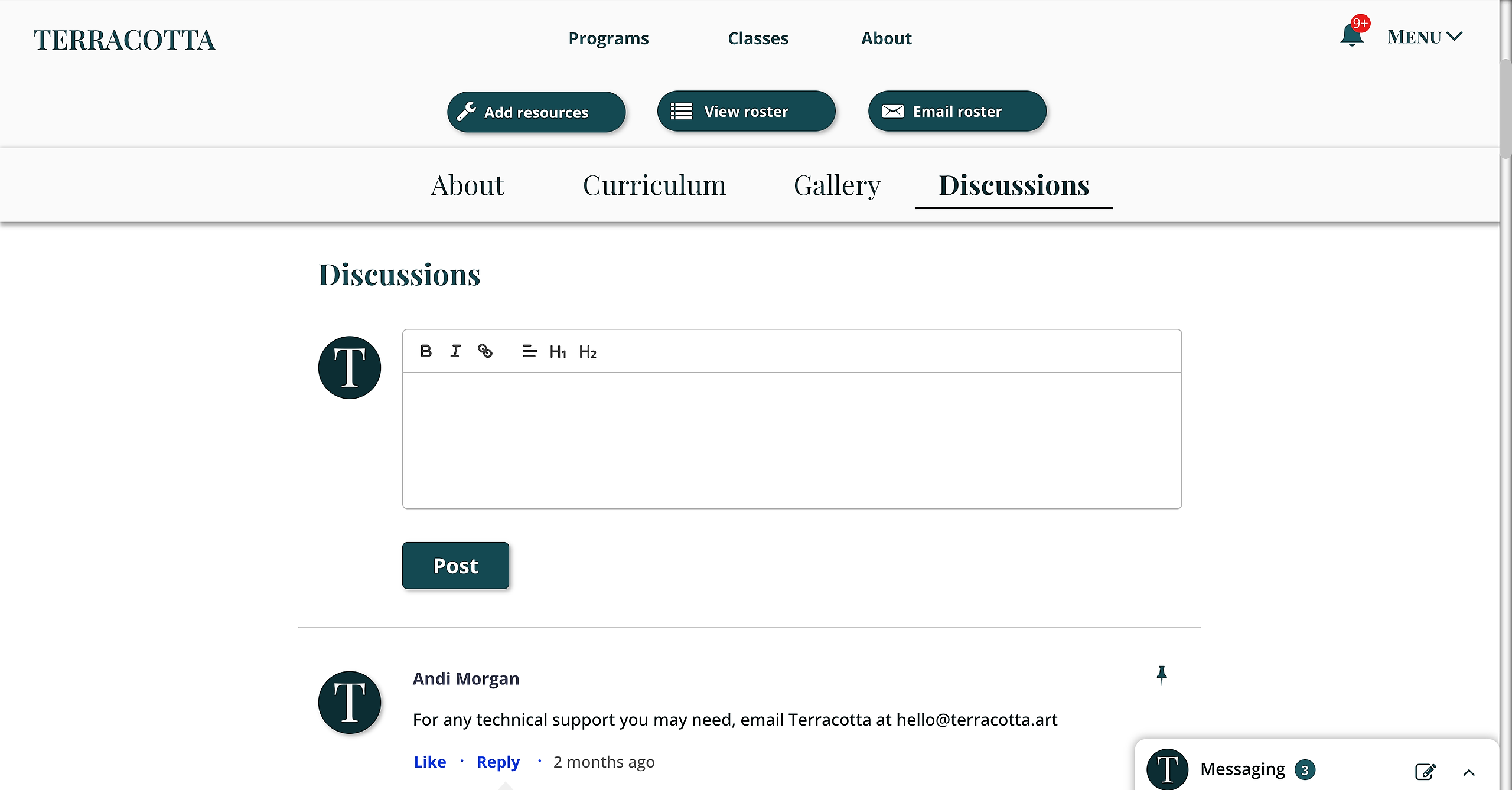
Step 1: make sure you are logged in on the Terracotta website.
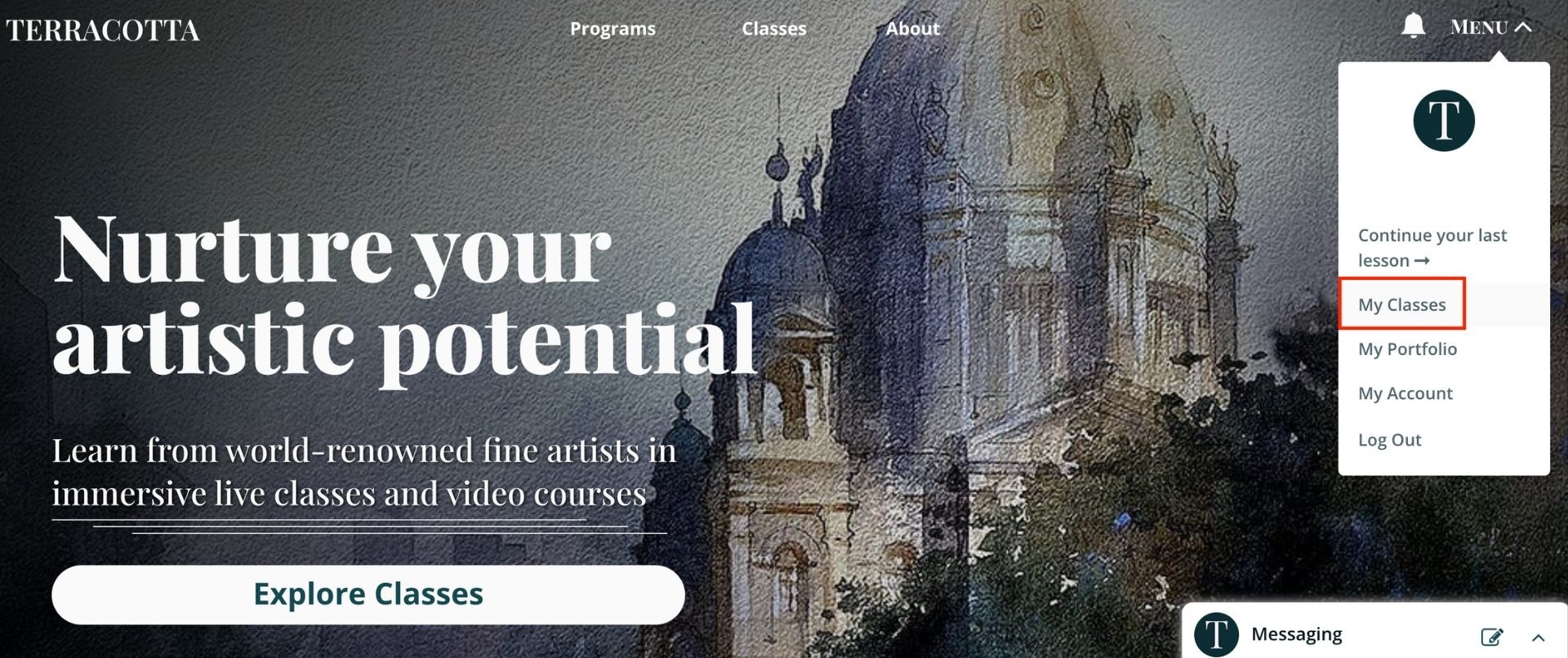
Step 2: Then, go to the "Menu" in the top right corner, and click on "My Classes" to view all your classes.
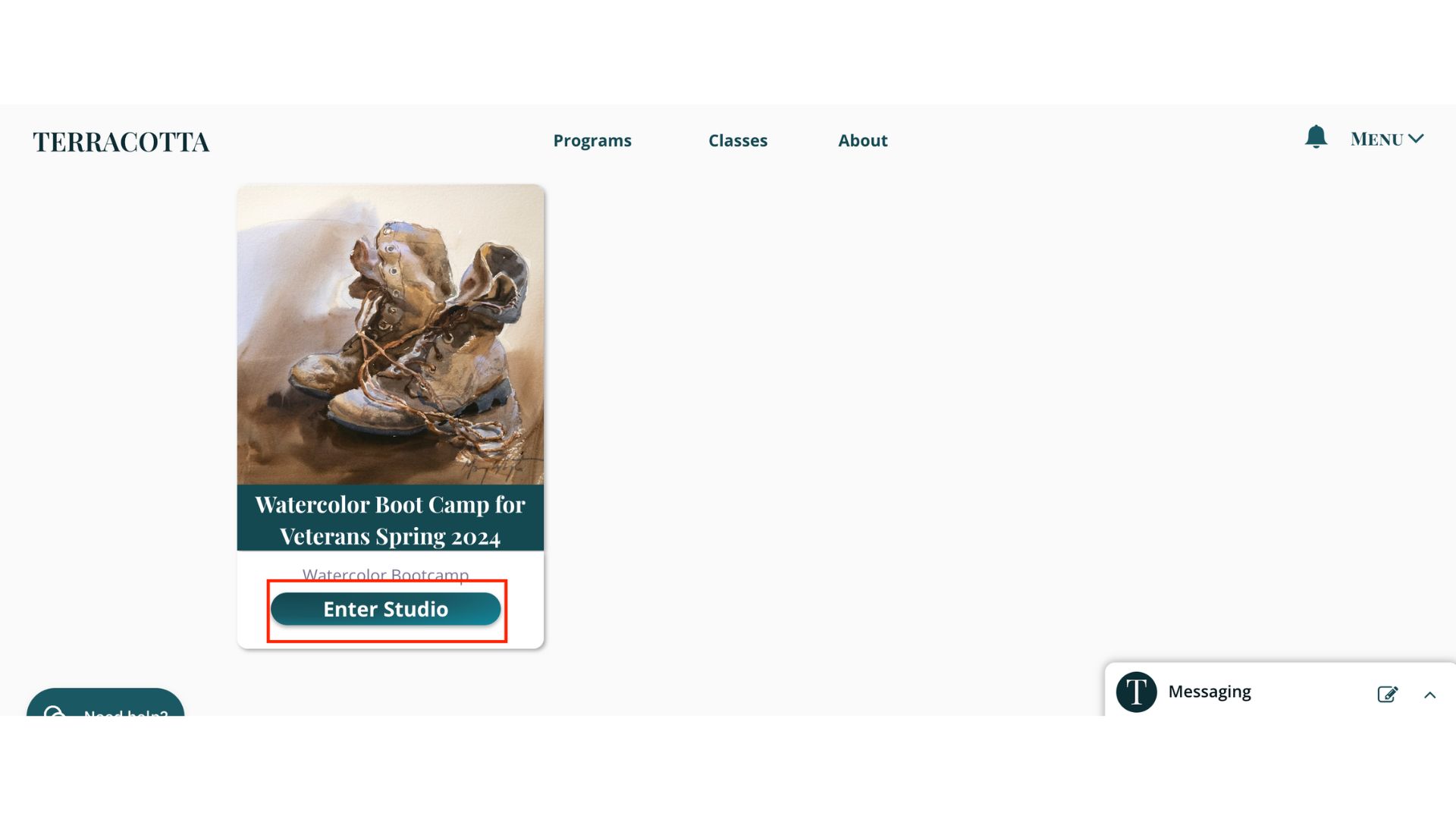
Step 3: Once you see the Watercolor Boot Camp for Veterans class. Click Enter Studio to access all information about the class.
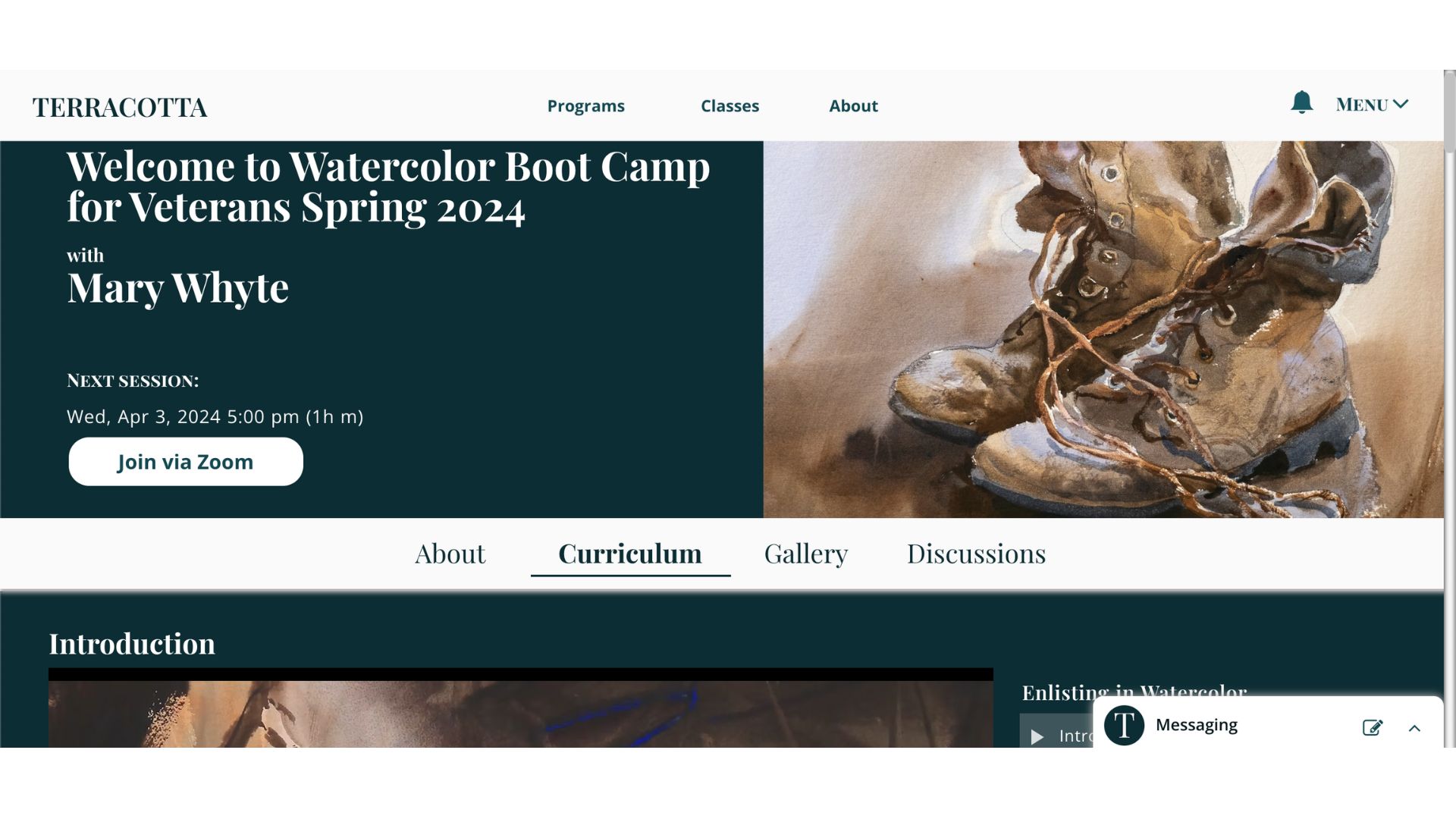
Step 4: Across the top, you have four options; click Curriculum for all details concerning the classes, including videos and materials lists.
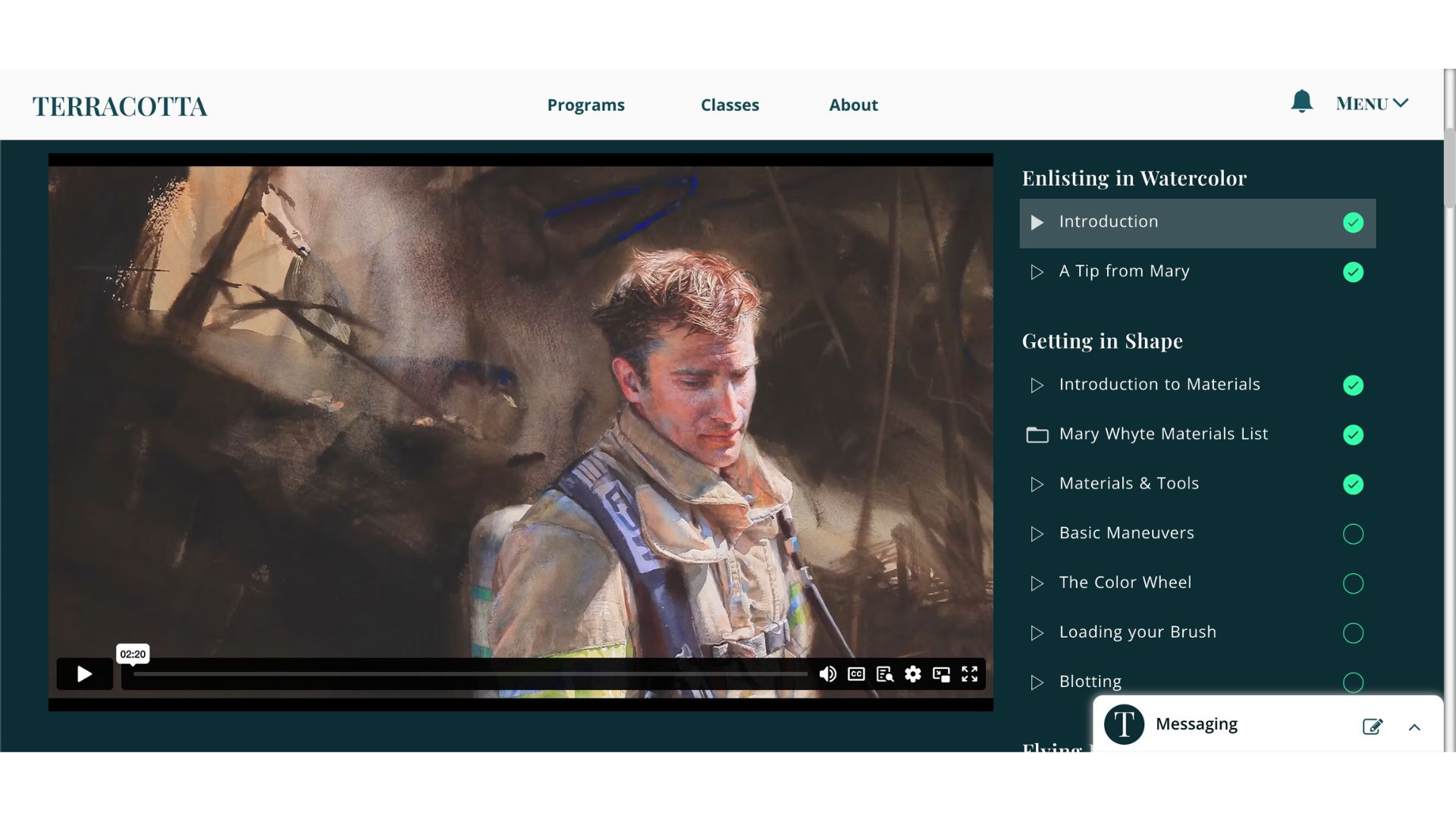
To the righthand side, you will see Enlisting in Watercolor. The first video is the Introduction. This provides a quick summary of the purpose of the course and what to look forward.
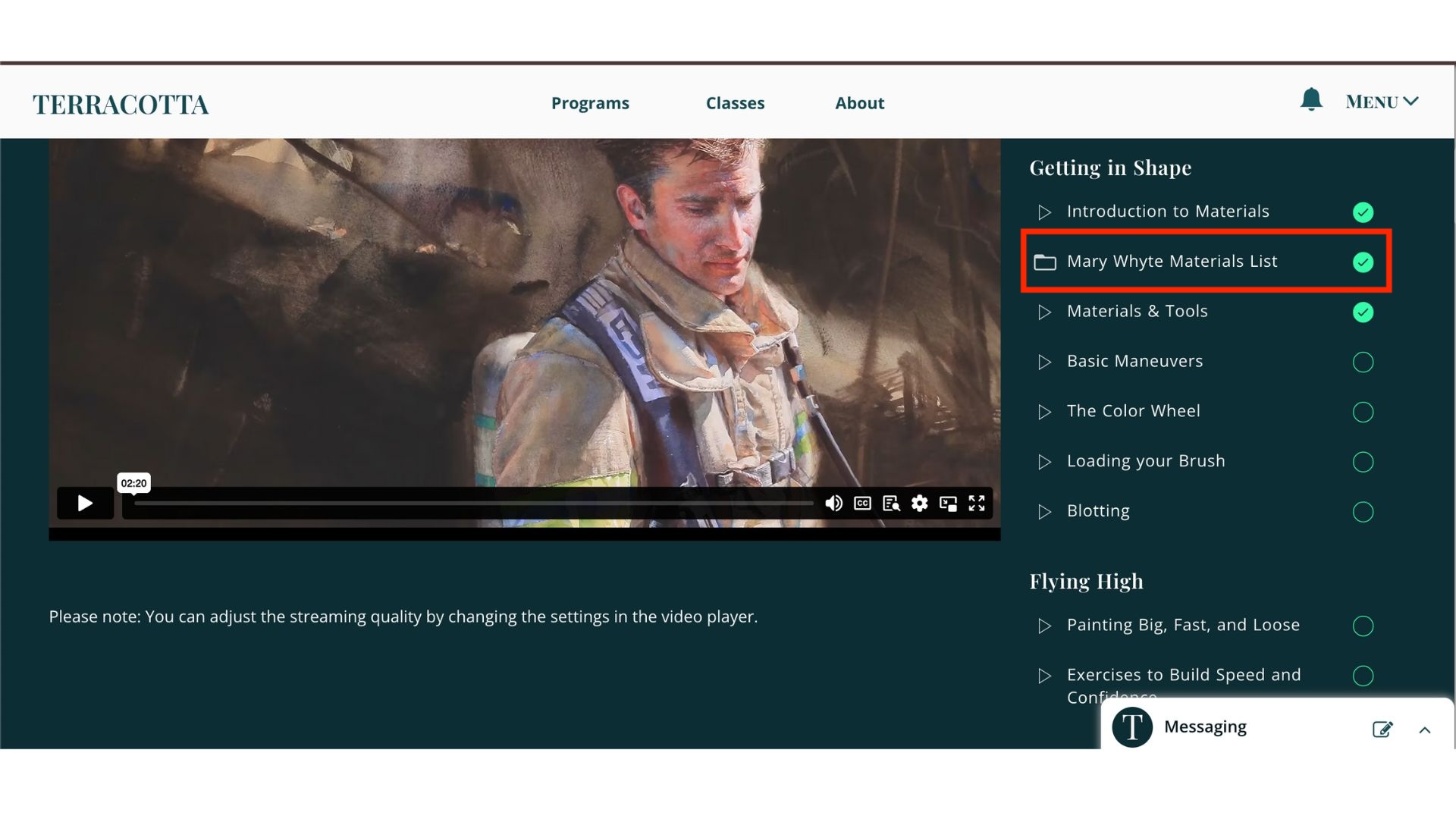
In the very next section, under Getting in Shape, you will see Materials List. Below each section for all artists, you will see this option to click and view.
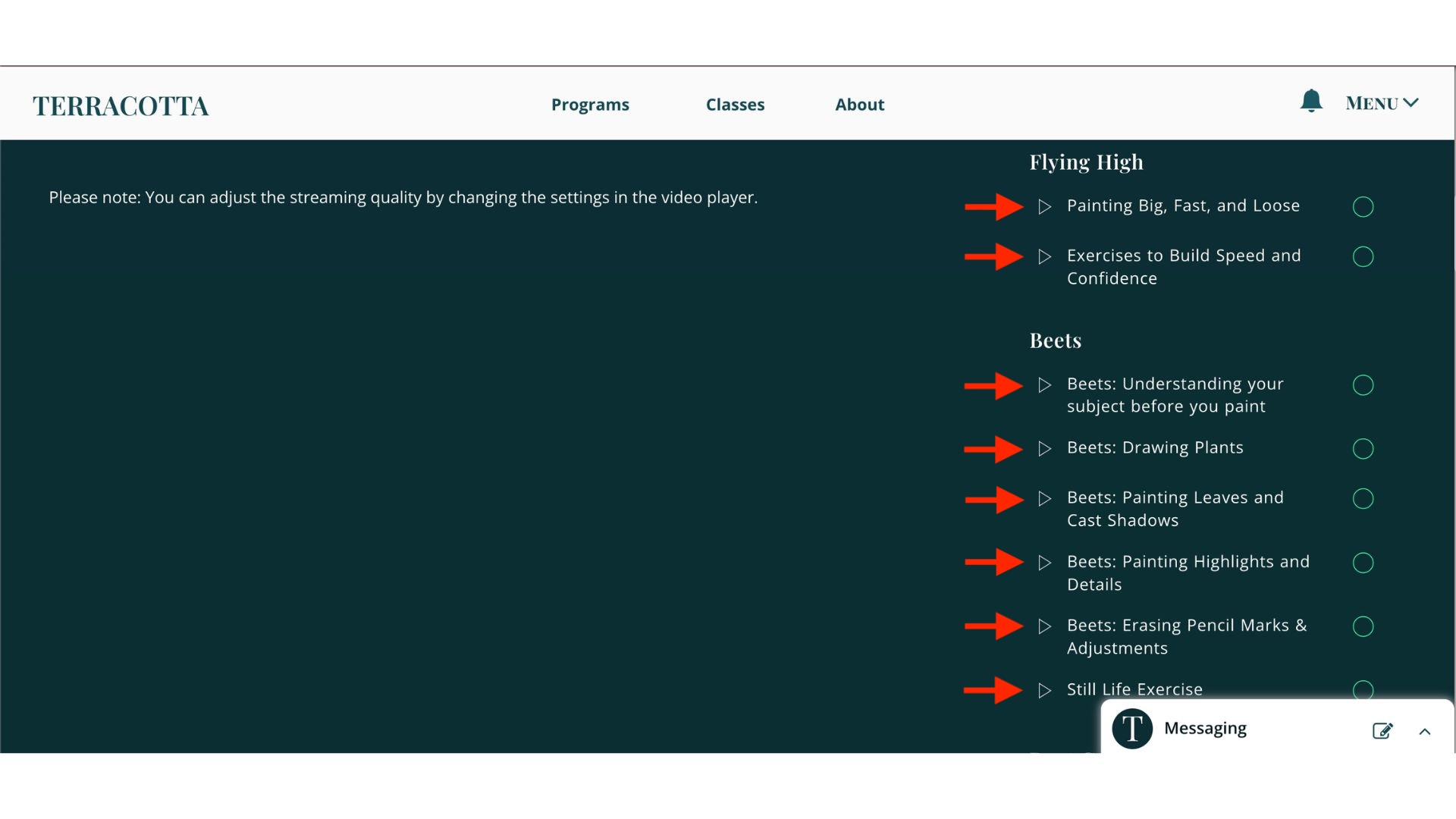
Continuing onward, on the righthand side, you can click on each individual video.
When you scroll back up to the top, click Gallery to upload photos.
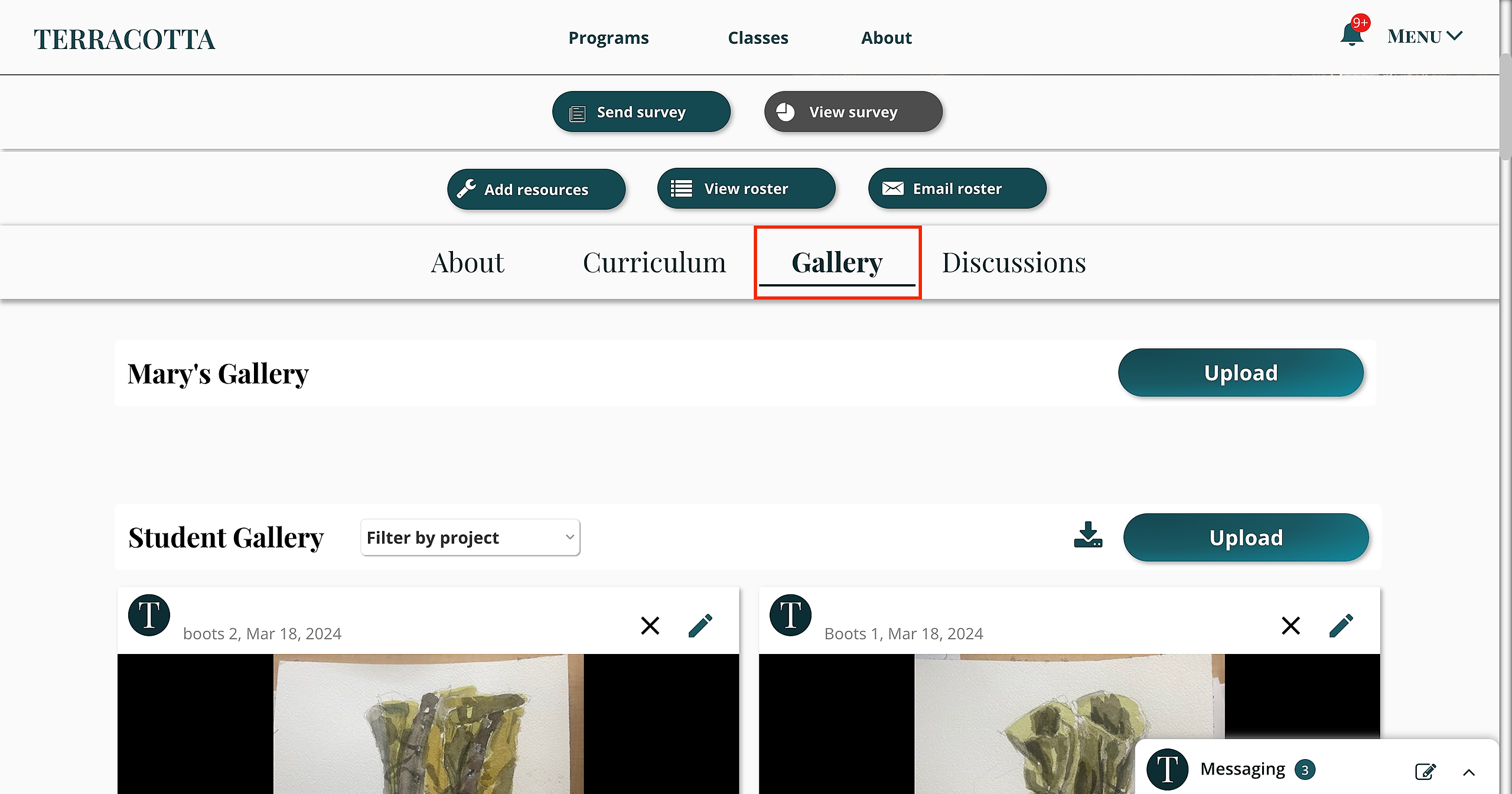
To upload your artwork (up to 4 files at once) to the Gallery, click the following link: Uploading Artwork to the Studio Gallery
To participate in discussions amongst students, click Discussions. Here, you can make posts.