When buying video courses, you have the option to purchase the class with or without personal critiques.
To receive critiques as a video course participant, you will submit your artwork in the class' virtual studio. During the submission process, you will 'request a critique' from the instructor. The instructor will then be able to view your work, record a video of their feedback on your work, and will upload it to your profile.
To request a critique from the instructor, please follow the steps below:
1. Once you are in the class' Virtual Studio, select the Gallery tab.
2. Scroll down to the Student Gallery, and click on the Upload button.

To upload your artwork on Terracotta, you will need to have a picture of your artwork accessible on your device. You can then upload using your phone, tablet, or computer.
3. This screen will appear. Click anywhere inside the dashed rectangles to upload an image of your artwork and a reference image.
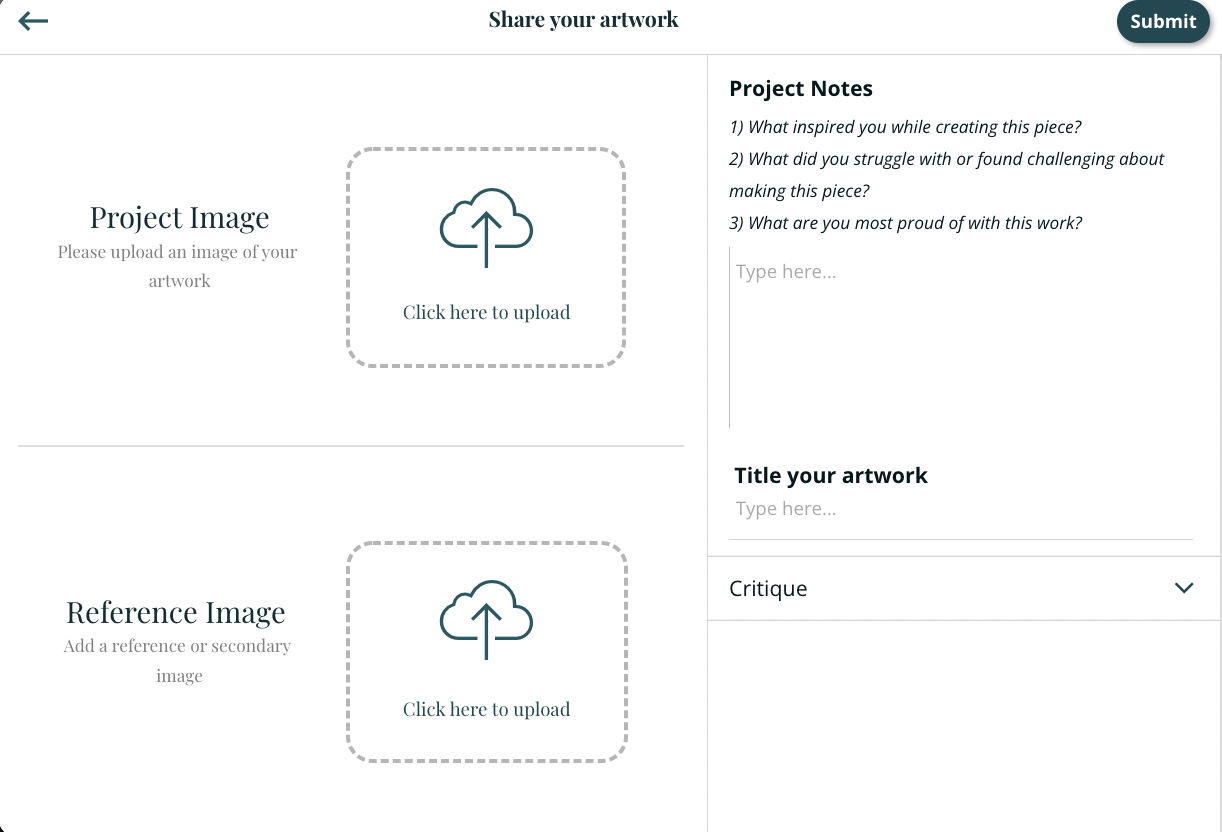
You can also title your work and share project notes (any additional information for the instructor, such as more context about your goal for the artwork, your inspiration, challenges you faced, and questions you have). Anything you share will help your instructor give you more thorough feedback.
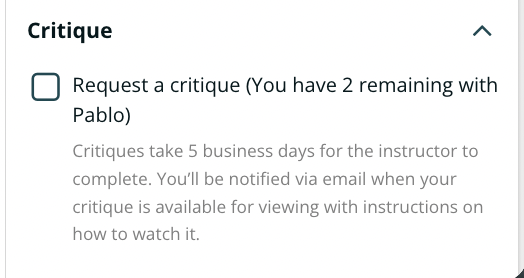
4. Click the dropdown arrow next to the word Critique and check the box next to the words "Request a critique."
5. When you are done, click on the Submit button.

Instructors typically critique your work in 1-5 business days. You will be notified via email when your work has been critiqued with a link to the critique.
To view your critiques:


You have lifetime access to viewing your critiques.

Images that have been critiqued will be tagged with the critique icon (yellow star with the letter c).