

*Please make sure you are logged into your account on our platform: http://terracotta.art/
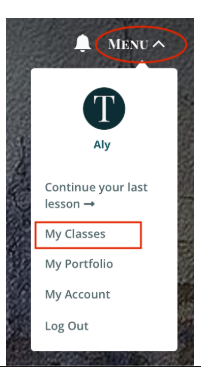
1. Go to Your Class: Click Menu and select "My Classes". Enter the virtual studio.
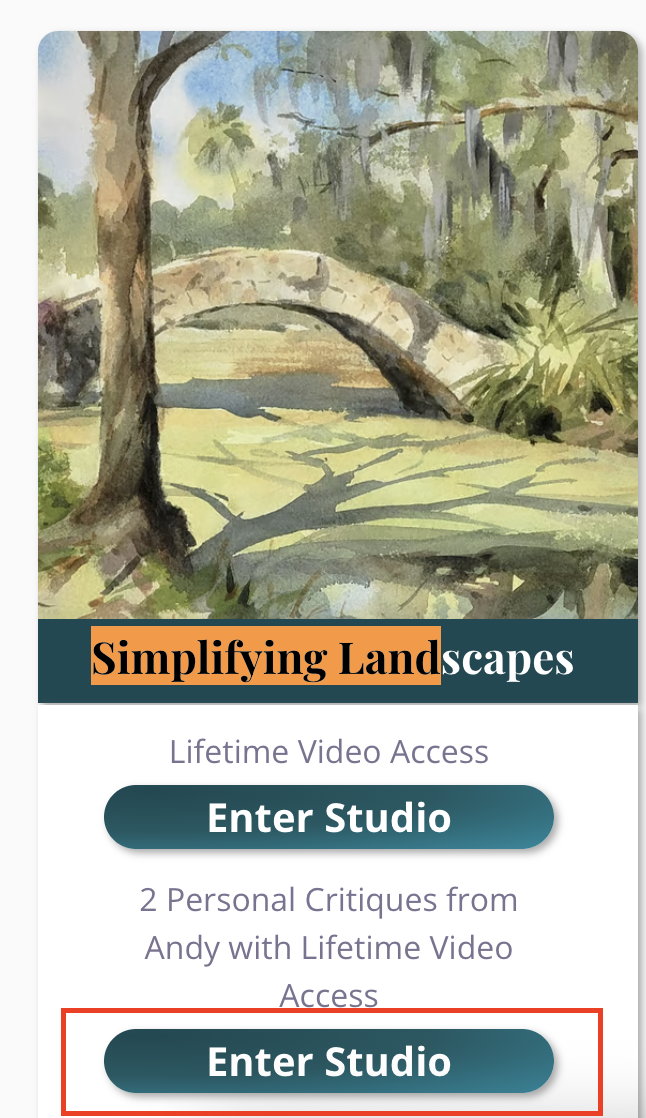
2. Find the Gallery: Click on the "Gallery" tab. Scroll down past the Instructor Gallery to the Student Gallery. Click the "Upload" button.

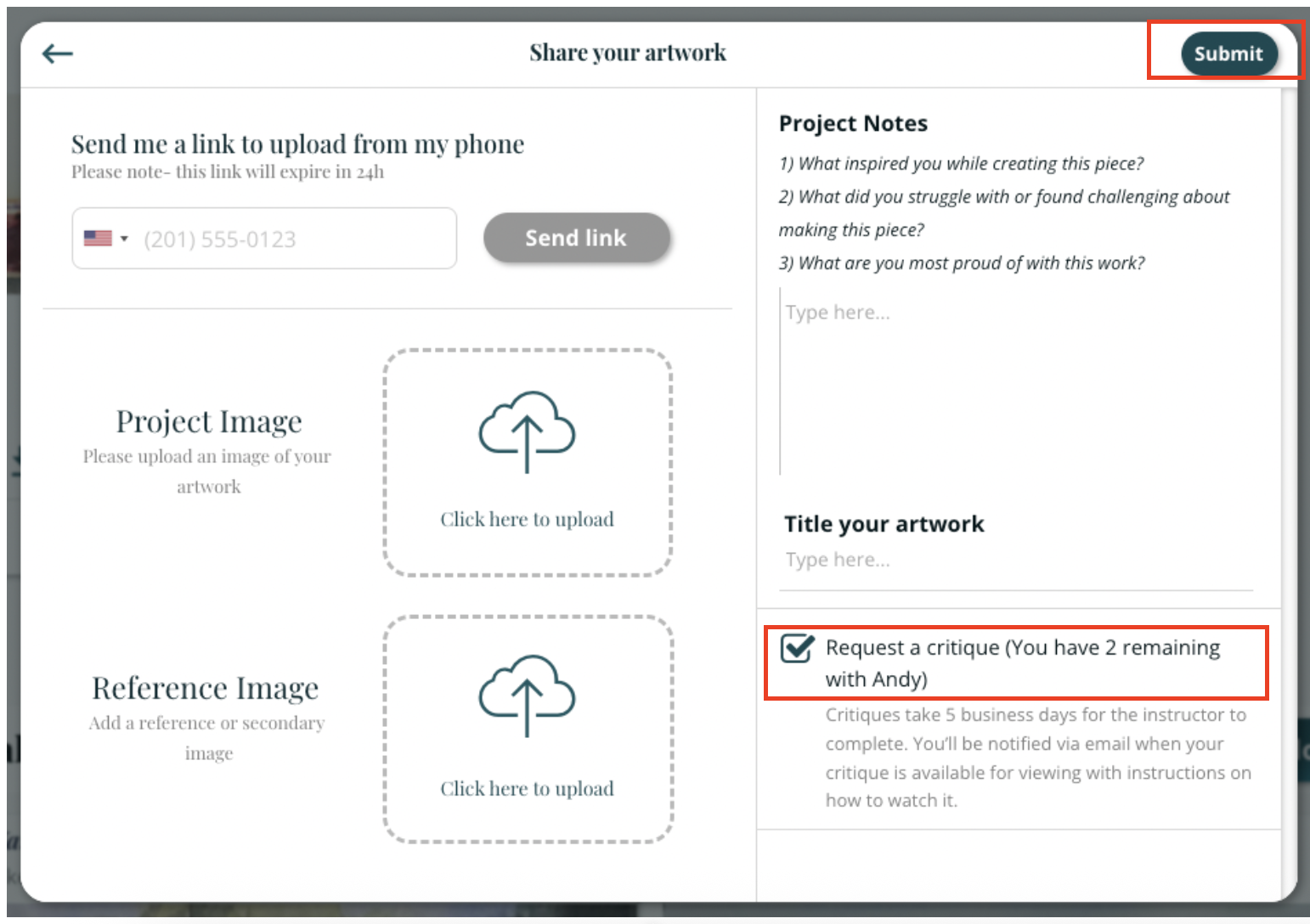
3. Upload Your Images: In the pop-up window, either enter your phone number to upload via your phone or click inside the dotted lines to upload from your computer (up to four images). After uploading two images, click "Add Additional Images" to upload more.
4. Edit Images: Click on an image to change it or click the "x" to delete it.
5. Mark for Critique: Check the box that says "Request a Critique". This notifies the instructor and ensures you are emailed when your critique is ready. Please note that in some longer courses, critiques will not happen within 5 business days but will happen prior to the next session.
You can also title your work and share project notes (any additional information for the instructor, such as more context about your goal for the artwork, your inspiration, challenges you faced, and questions you have). Anything you share will help your instructor give you more thorough feedback.
6. Submit: Click "Submit" to complete your submission.
The instructor will then be notified and will be able to provide a video critique or a write-up alongside your annotated image.
Your work will automatically be shared in the class Gallery and added to your Terracotta portfolio.
When you request a critique, the critique icon will be shown underneath your image (a yellow outline of a star with the letter c inside).

You will be notified via email when the critique is available. You can access it in the class gallery or in your personal portfolio. Typically instructors will be able to critique your work within 3-5 business days.
Once the critique is complete, the critique icon will be filled in (as shown below).

Click on the image and click the button "View my critique".
If you have any further questions, please reach out to us at hello@terracotta.art