

First make sure you are logged in on the Terracotta website.
Then, go to the "Menu" in the top right corner, and click on "My Classes" to view all your classes.


Click Enter Studio.
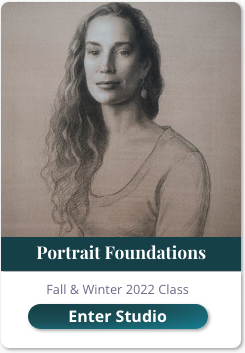
Workshop virtual studios will all be organized the same way.
The landing page will be the About page.
Here you will be welcomed to the class and access the Zoom link to the join the class.
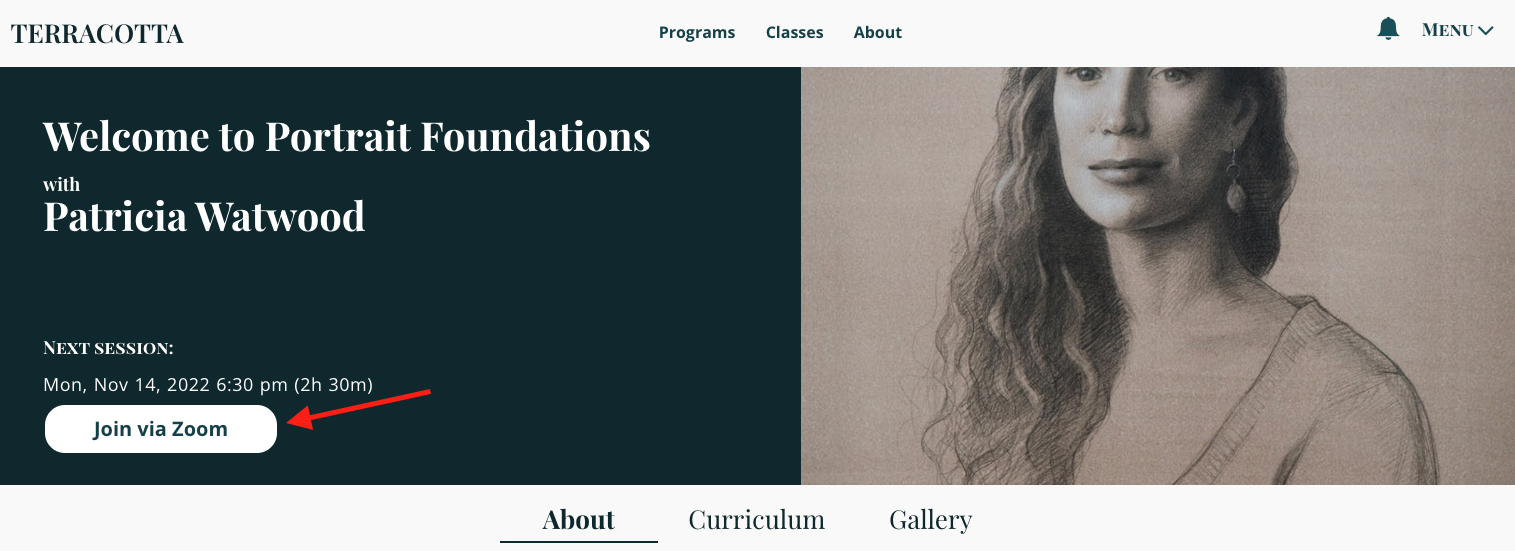
Live classes are automatically listed in the local time zone set on your device.
Click 'Join via Zoom' at the time of the event. This will directly lead you to the Zoom meeting.
On this page, you will also be able to view the class Announcements (if the artist sends any email announcements to students), Instructions, and Schedule (for multi-day workshops).
Navigate to the Curriculum tab to find all the class resources, reference images, and materials. Shortly after class, we'll upload the recording to the Curriculum & you'll be notified when it is available.

The Gallery is broken into two sections: Artist Gallery & Student Gallery.

Artists may add images of their materials, reference photos, or any other relevant images to their gallery. After the workshop, the artist’s final paintings will be added to the gallery.

You're welcome to upload pictures of your work in the Gallery as well. If the artist is offering critiques, this is where you would upload your work for a critique.
Please click here, to learn more about how critiques work for live workshops.
If you're more of a visual learner, click here for a short video tutorial on accessing video courses.