

Policy
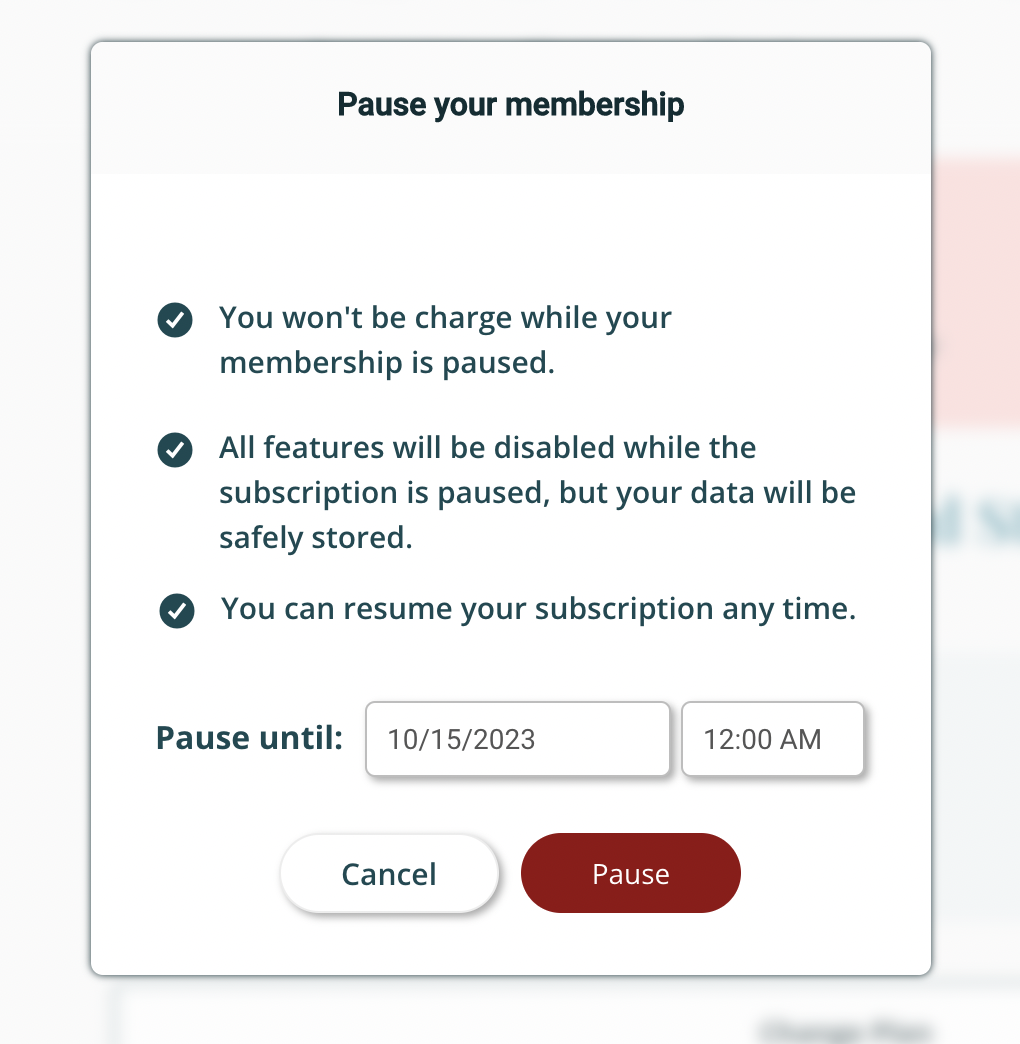
Subscription-based memberships can be paused at any time and for up to 6 months at a time.
How it works
When you pause your subscription, it will go into effect on the date of your next billing cycle.
When you make the modification, you will be able to select the date at which you would like your subscription to become re-activated.
While your subscription is paused, you will not be charged, but your subscription becomes inactive, so you will not have access to the program.
To pause your subscription:
Learn how to modify your subscription in this short video tutorial, or keep reading the article below.
1.) Log into your Terracotta account. Need help logging in? Read this article!
2.) Go to the "Menu" in the top right corner.

3.) Select "My Account"

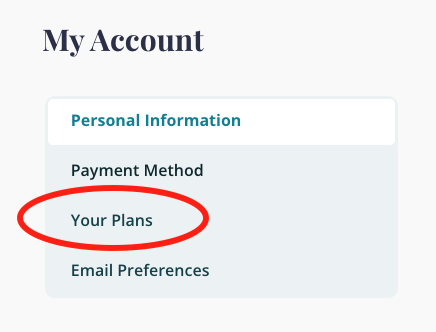
4.) Select "Your Plans" or scroll down to view our current plan(s)
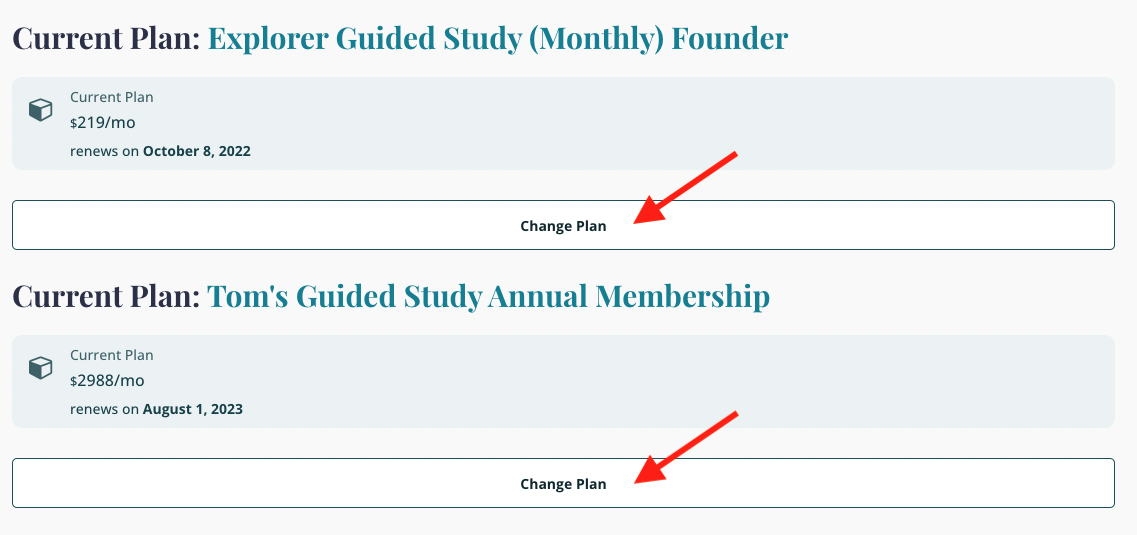
5.) Click on "Change Plan" to make any modifications to your plan
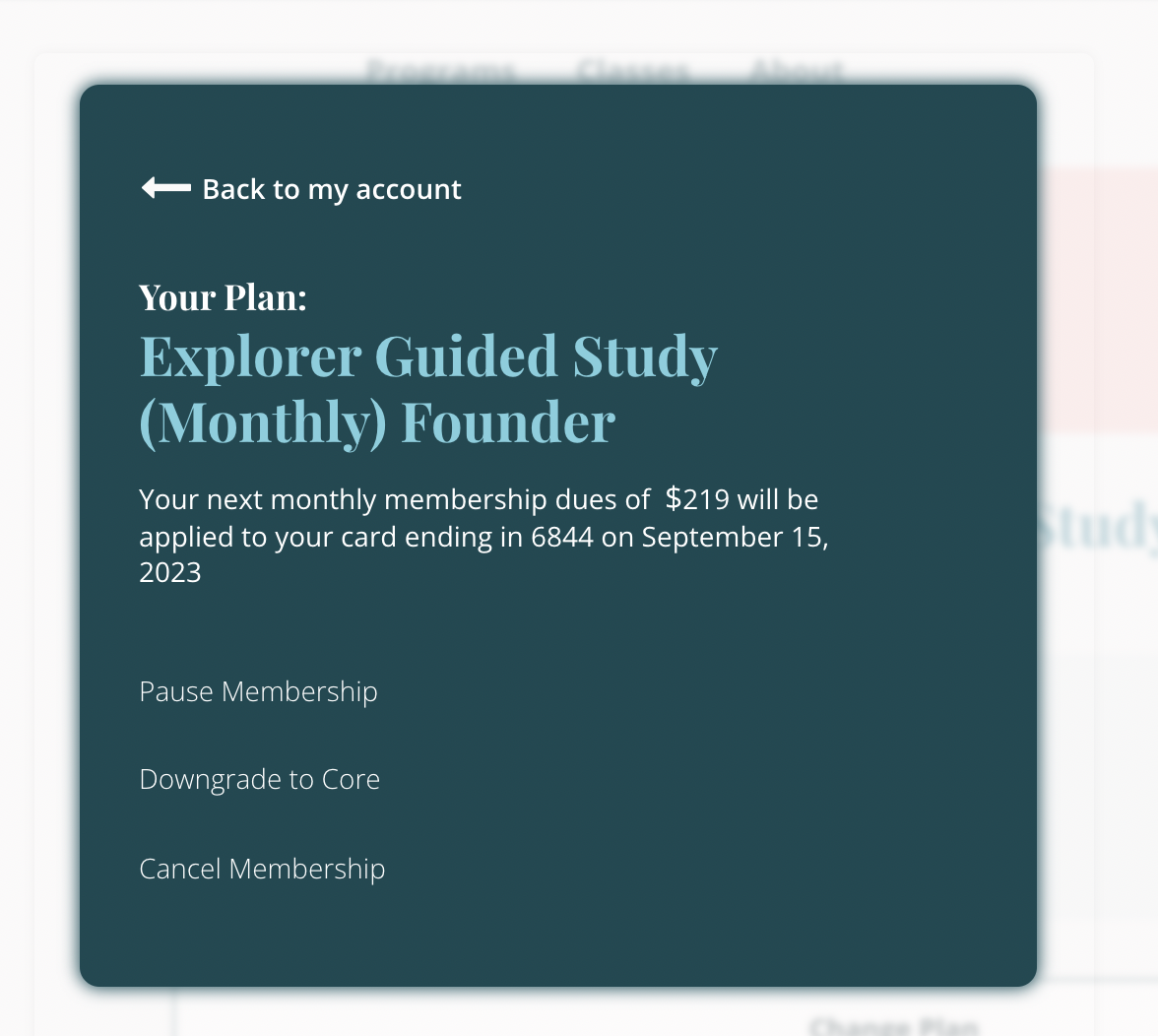
6.) Select Pause Membership
7.) Set the time frame in which you'd like to pause your membership.
Questions? We're here to help!
Reach out to us at hello@terracotta.art