

To be referred, a current student must enter you email address on the Terracotta website. When you receive the referral email from Terracotta, you will see both a code that you can copy/paste at check out OR you can click the Get $50 Off button which will navigate you to the Terracotta website. If you don't see the email in your inbox, check your spam folder.
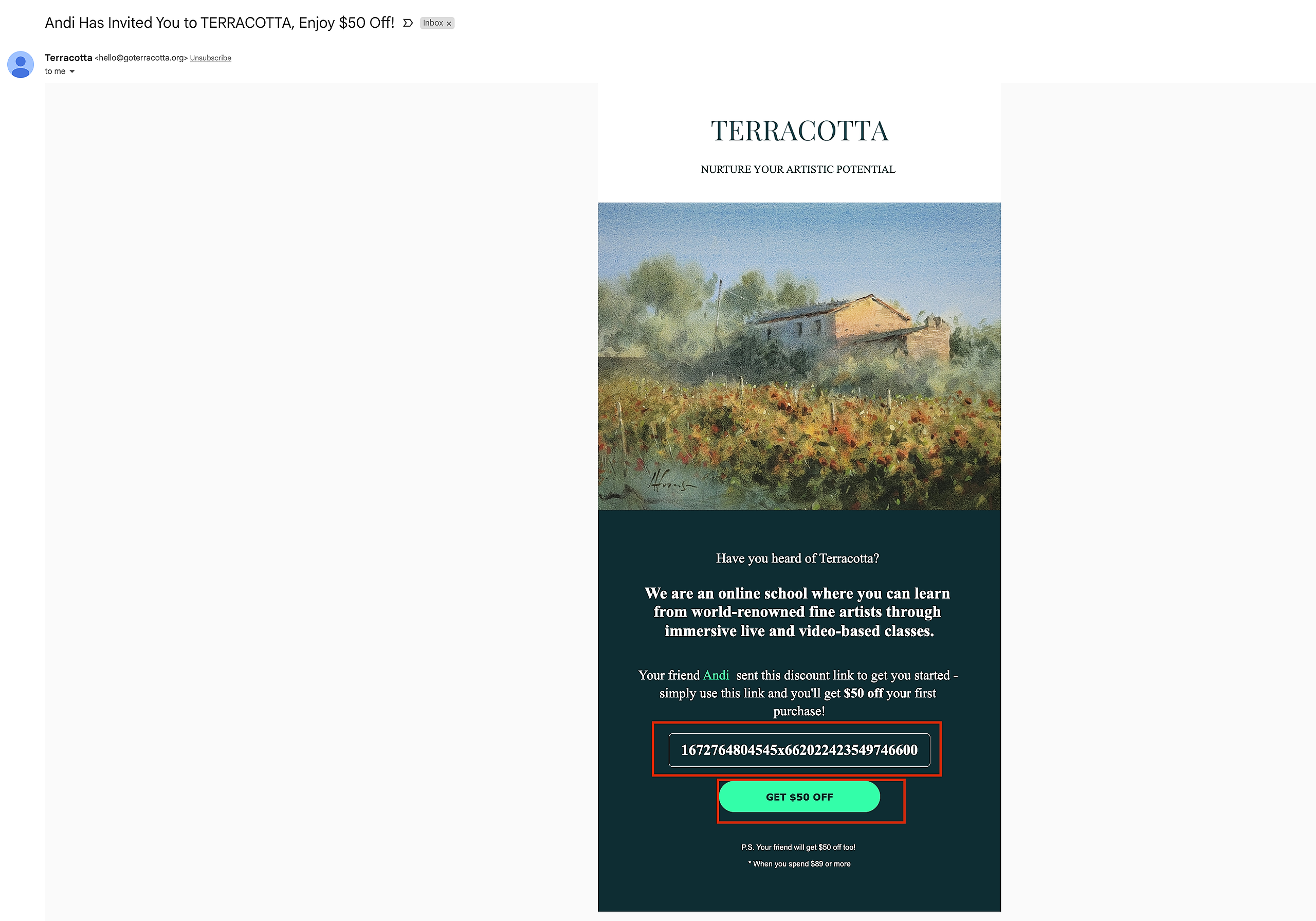
Once on the Terracotta website, Select Classes at the top center of the home page to view all available video courses, live workshops, and programs available for purchase.

When you’ve selected one, click Register and/or Sign Up at the bottom of the course page.


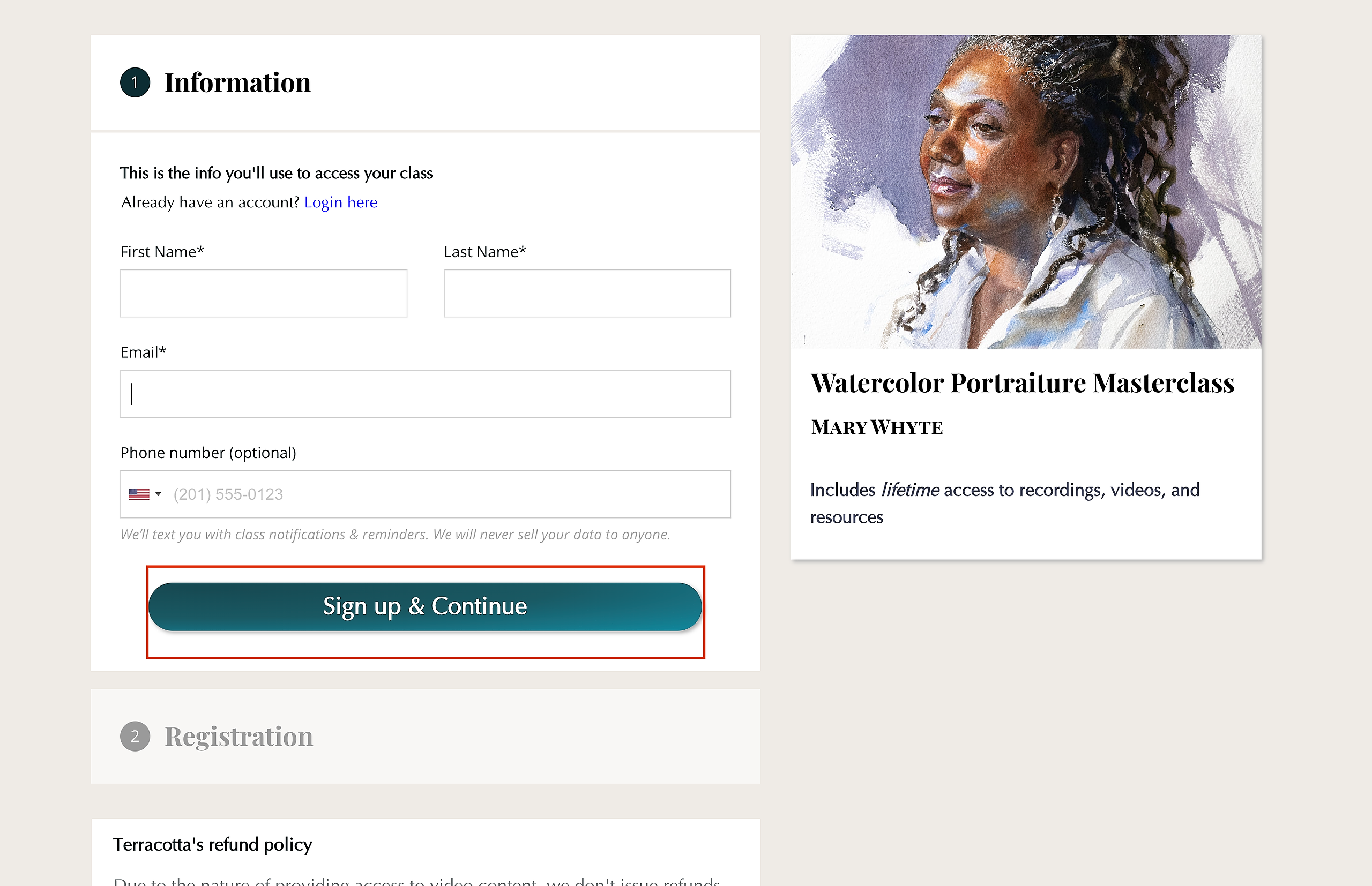
You will then be guided to a checkout page where you will be asked to create an account. Enter your information and select Sign Up & Continue.
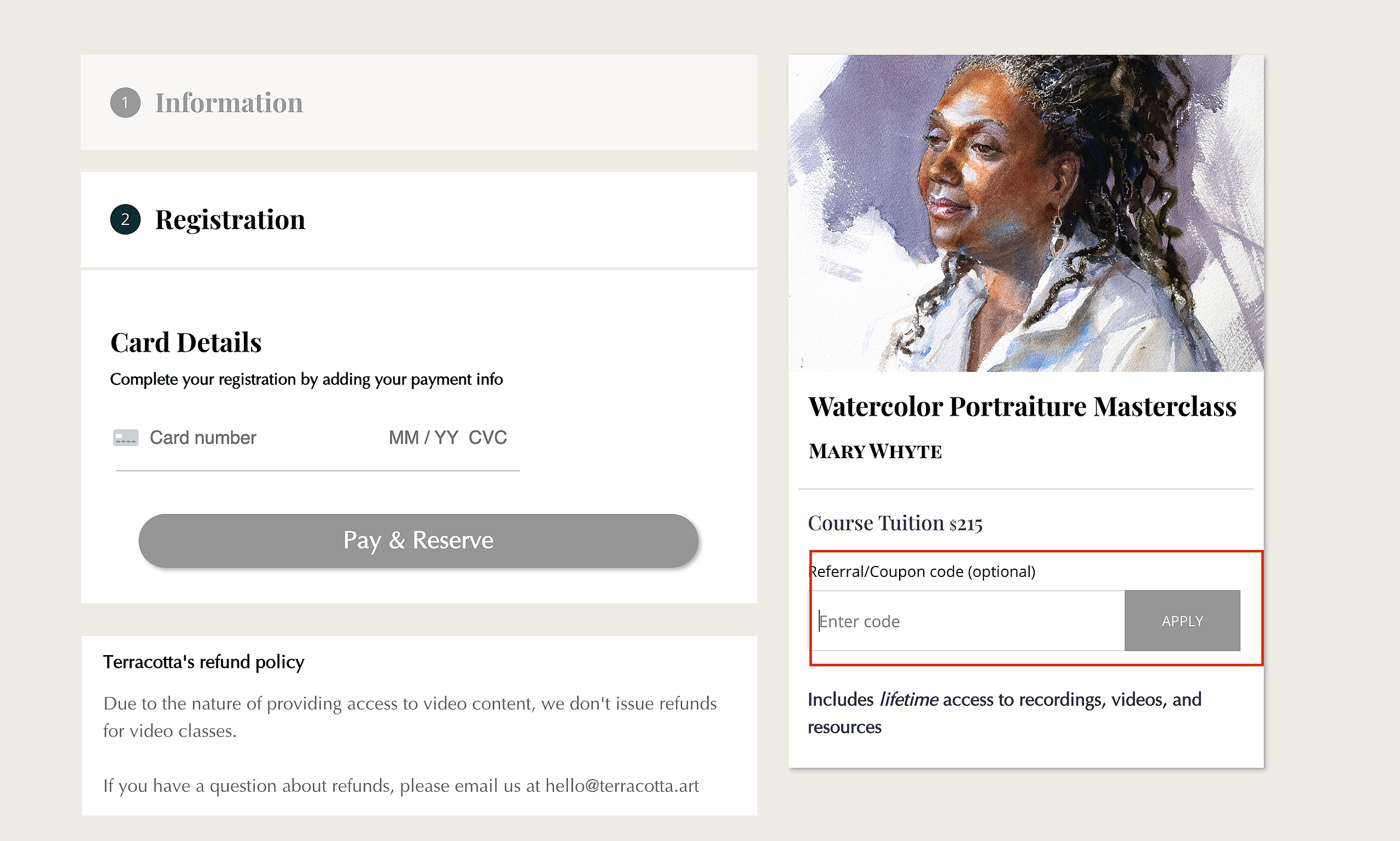
You can then copy/paste the code from your referral email inside the Referral/Coupon Code box. Push Apply and you should see the discount applied to the total price. Enter your payment information and select Pay & Reserve.
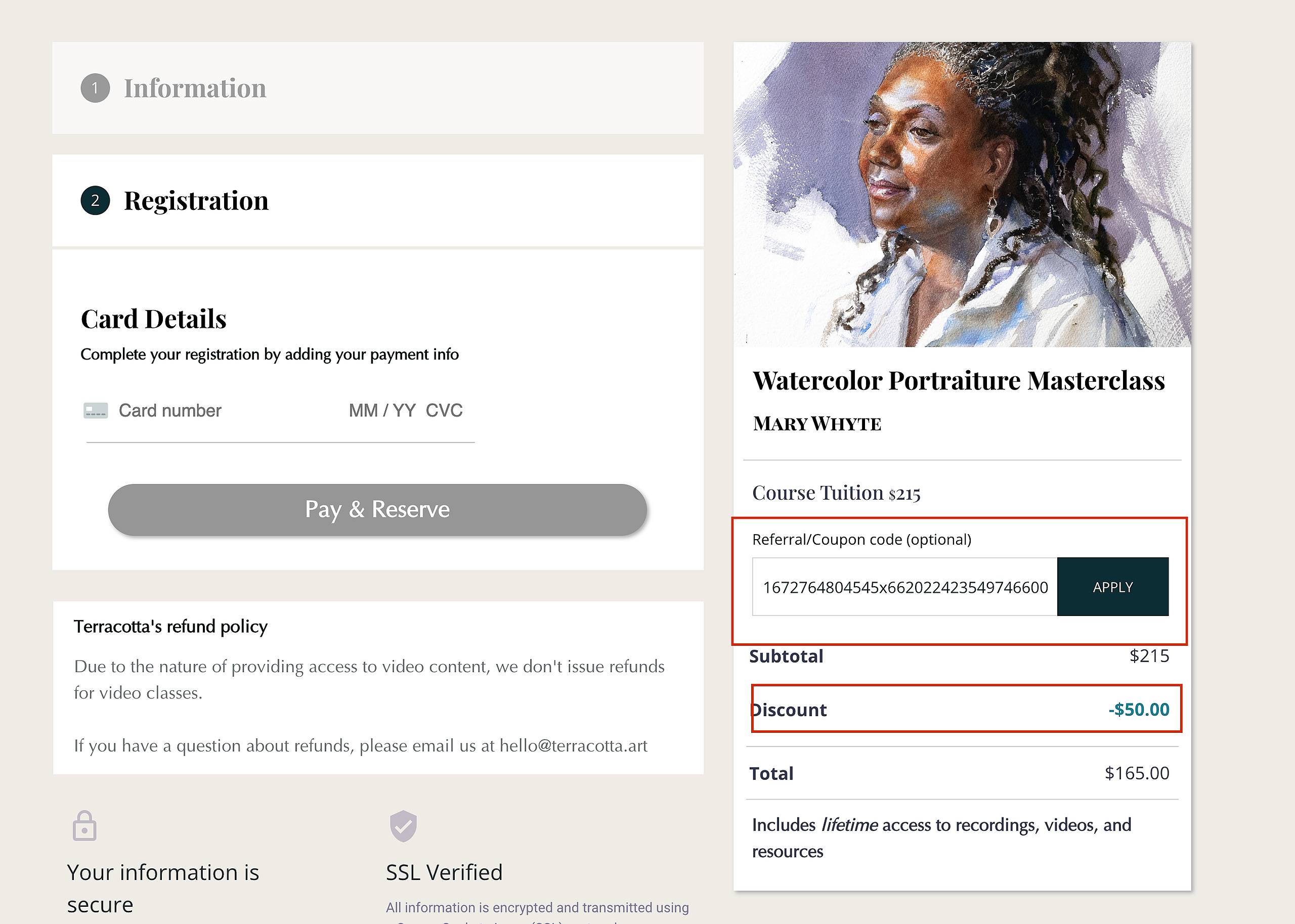
Upon successfully registering for your first course with your referral code, the student who referred you will automatically receive a $50 credit applied to their account.
You are now ready to begin your new course! Happy Painting!