*Please make certain that you are logged into your account*
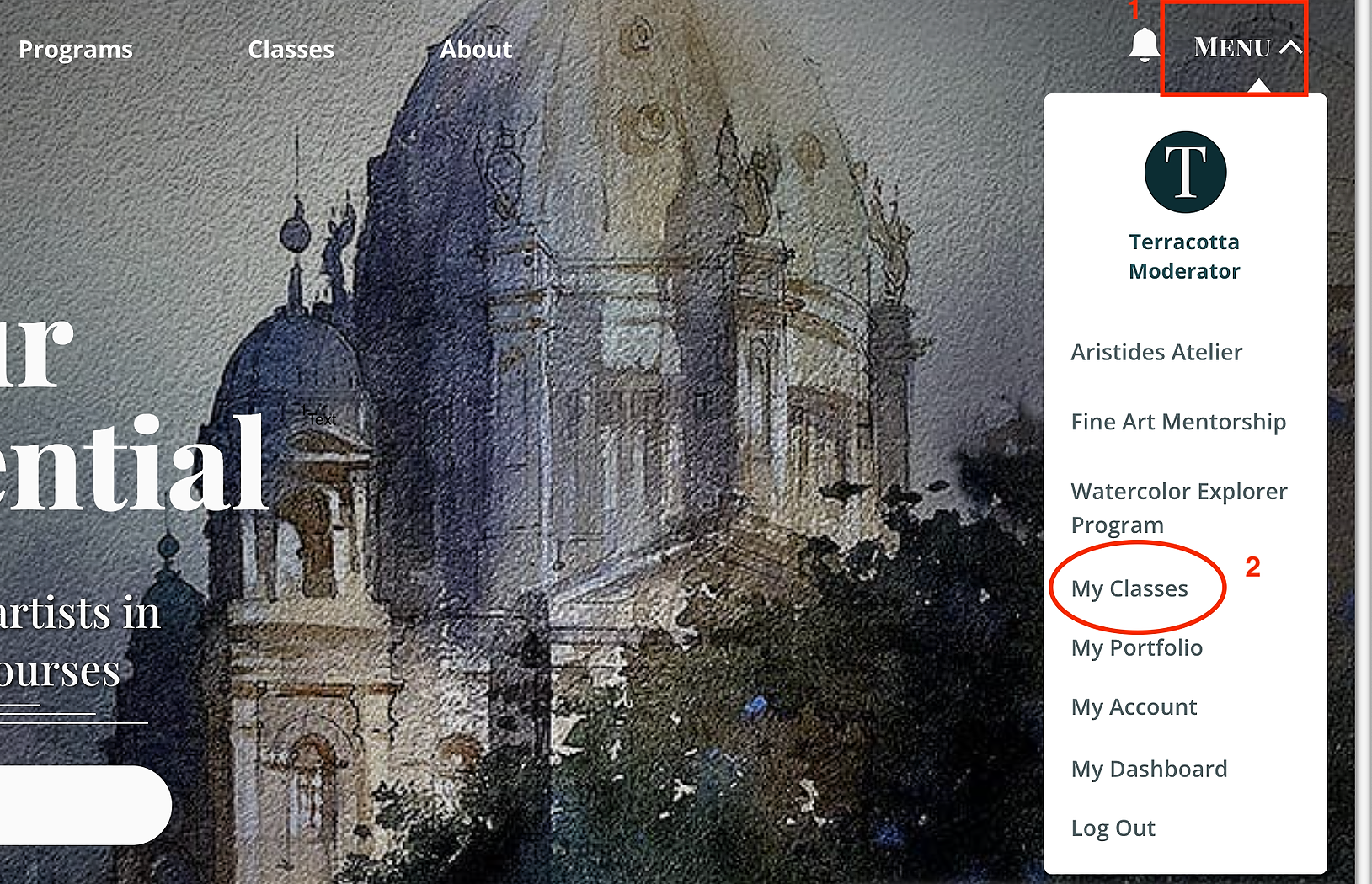
Step 1: Click MENU in the top right corner of the website and select My Classes.
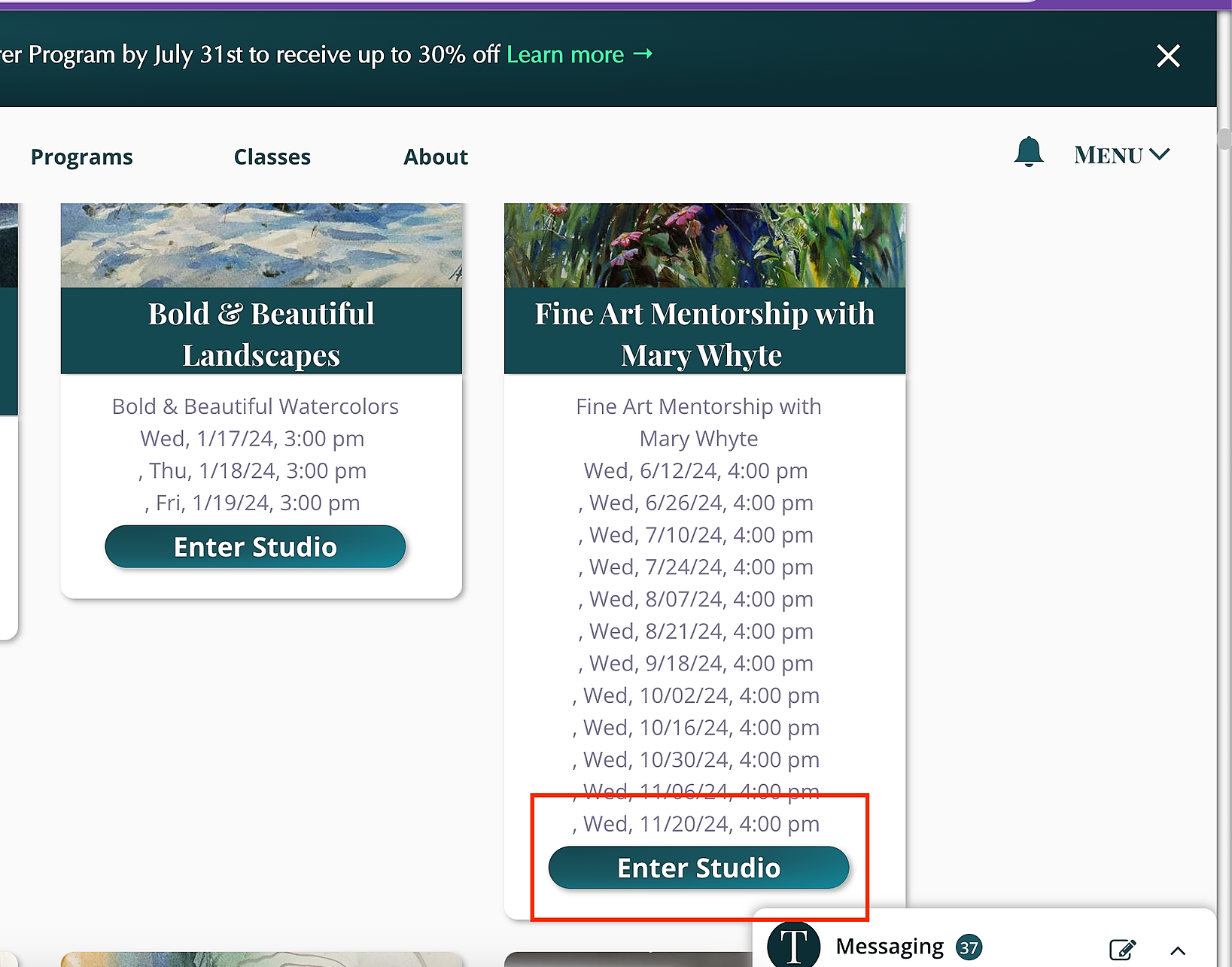
Step 2: Click Enter Studio of Mary Whyte Fine Mentorship.
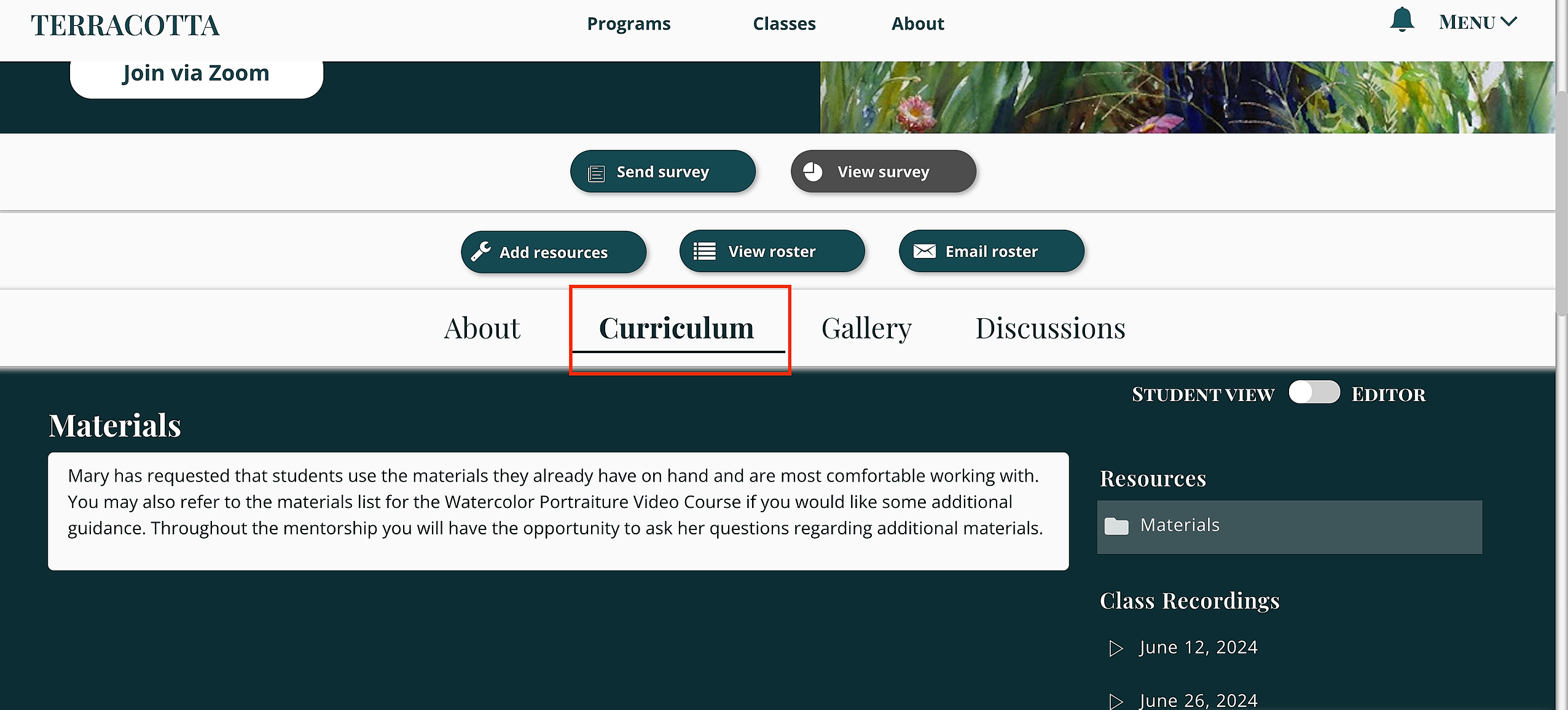
Step 3: At the top, make sure Curriculum is selected.
Step 4: After selecting Curriculum, to the righthand side, you will see "Project & Assignment Submissions." To upload your work, please select the date of the next biweekly session date that will be held.
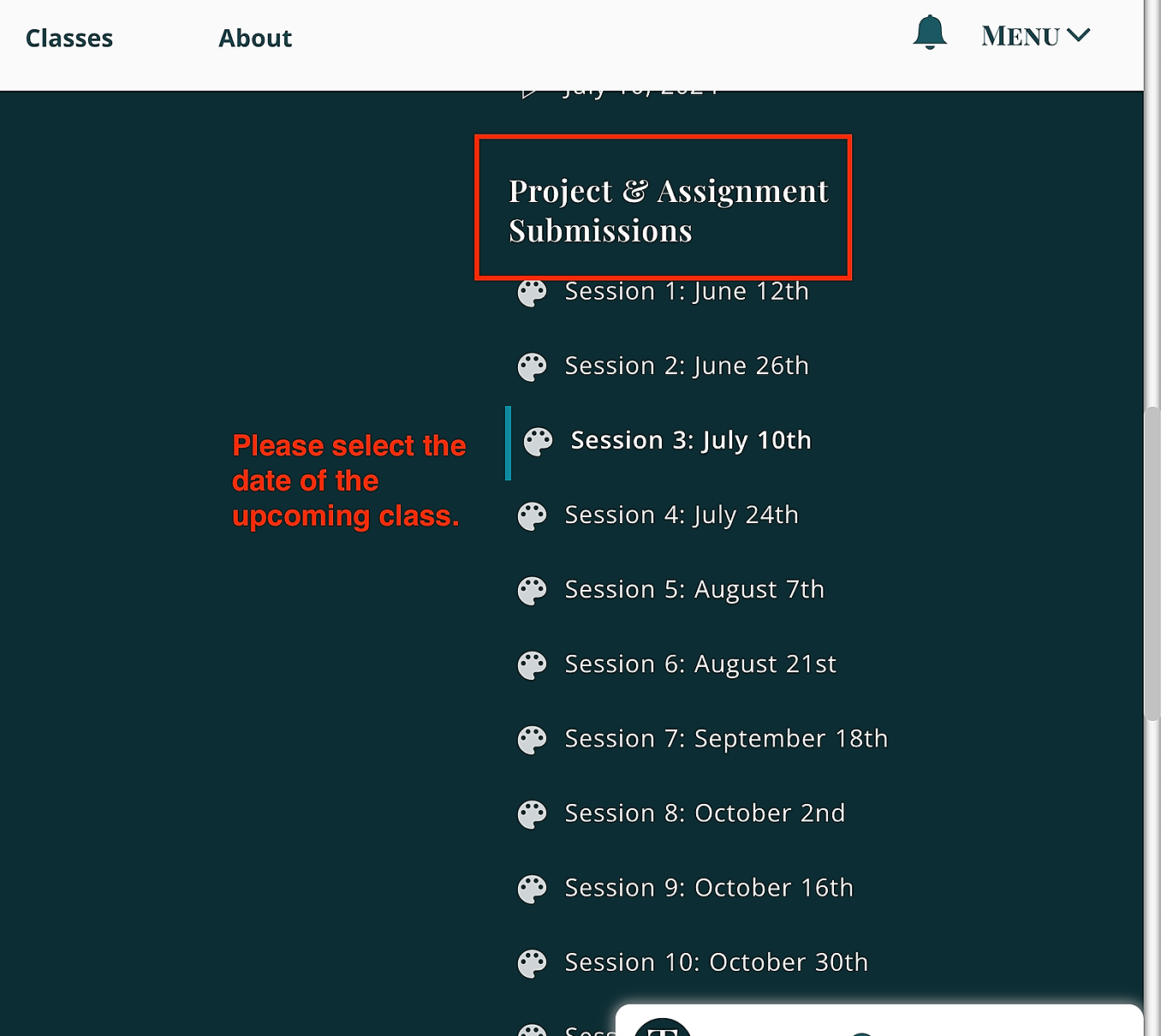
Step 5: Once you select a date, "Share Your Art" will appear on the left side. Click that.
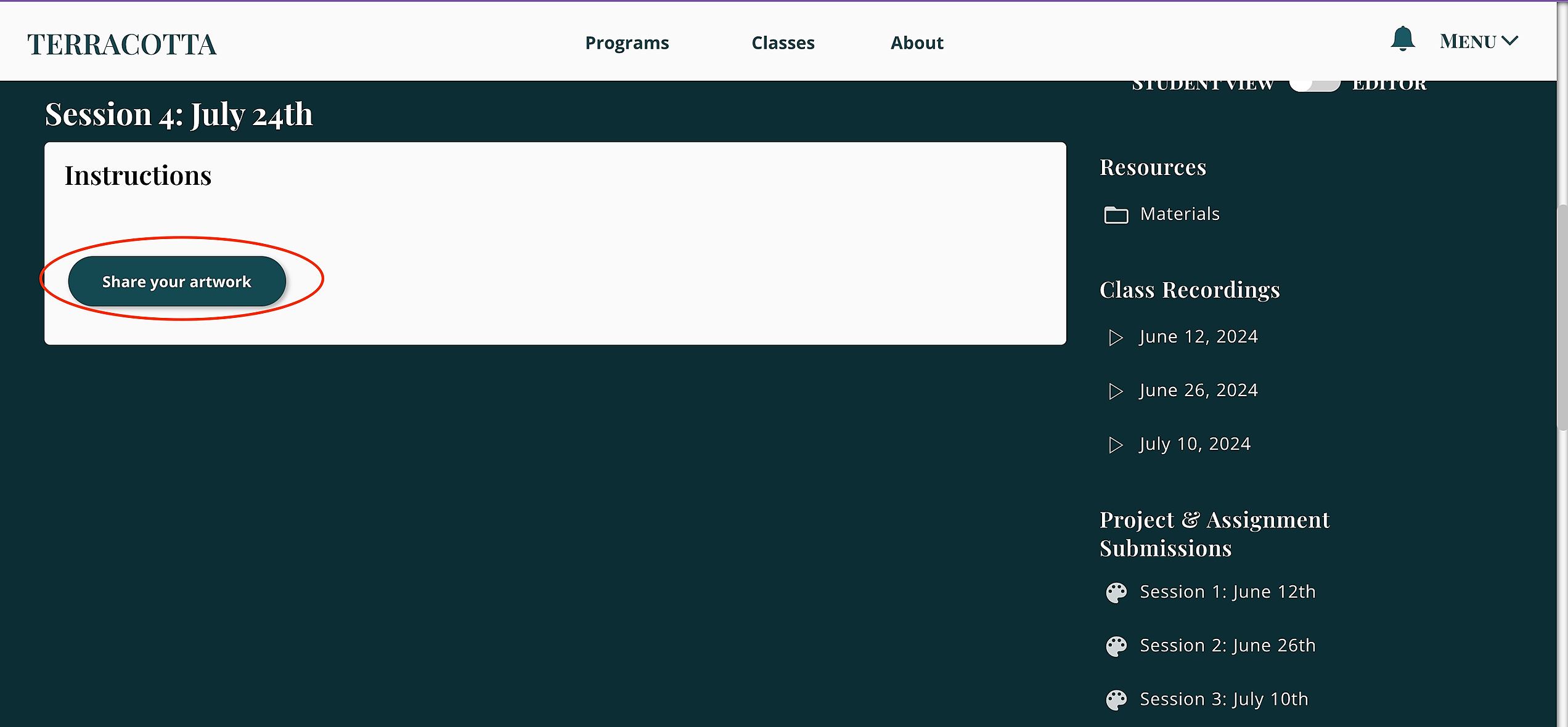
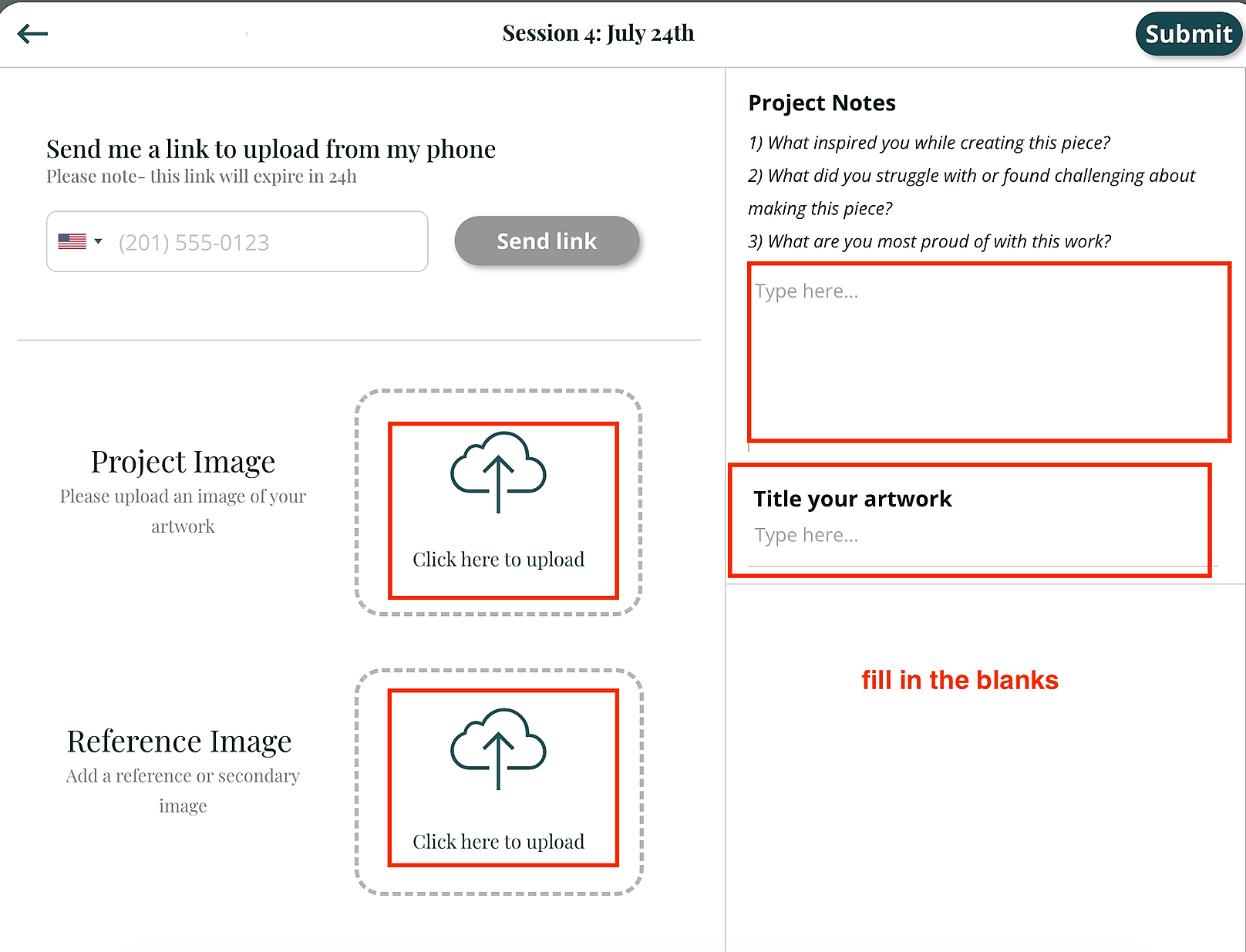
Step 5: Follow the instructions that are inside of the artwork share button, uploading your photos, any words of expression, and the title of your work. Once you are finished, click Submit in the top right corner.