To access the Zoom meeting link for live classes:
Option #1: You can join your live Zoom meeting directly through the class's Virtual Studio (see below for further instructions).
Option #2: We send several reminder emails for all live classes and events. Included in the email is the Zoom meeting link. Be sure to check that our emails aren't going to your spam folder!
Once you have the link, all you have to do is click the link at the time of the event to join!
To access your Zoom meeting through the Virtual Studio, follow the steps below:
1. Login to your Terracotta Account. If you need help logging in, click here.
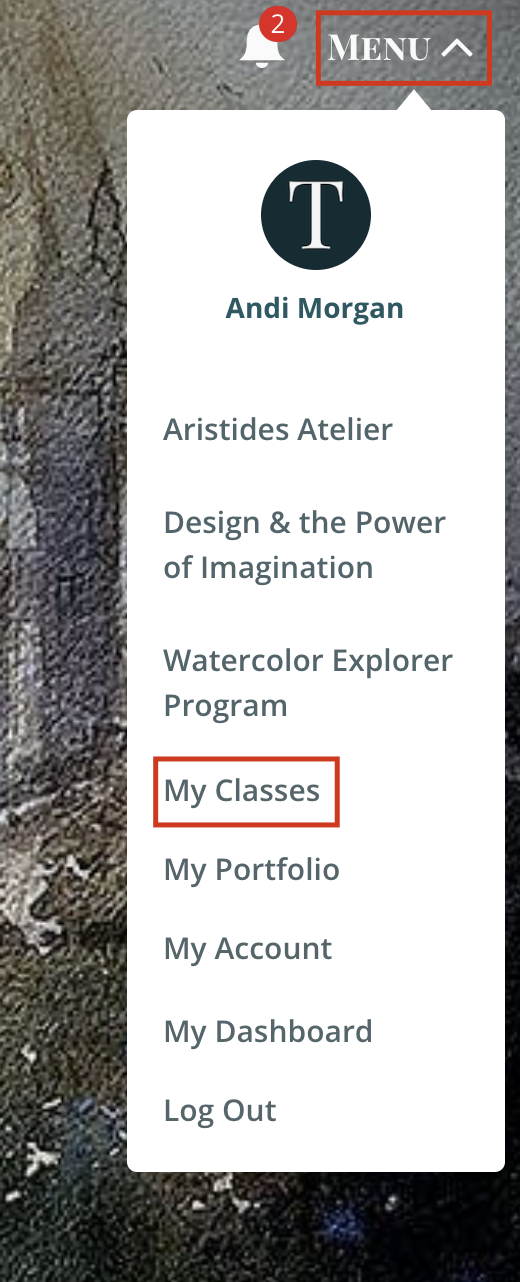
2. Go to Menu, and click on 'My Classes'
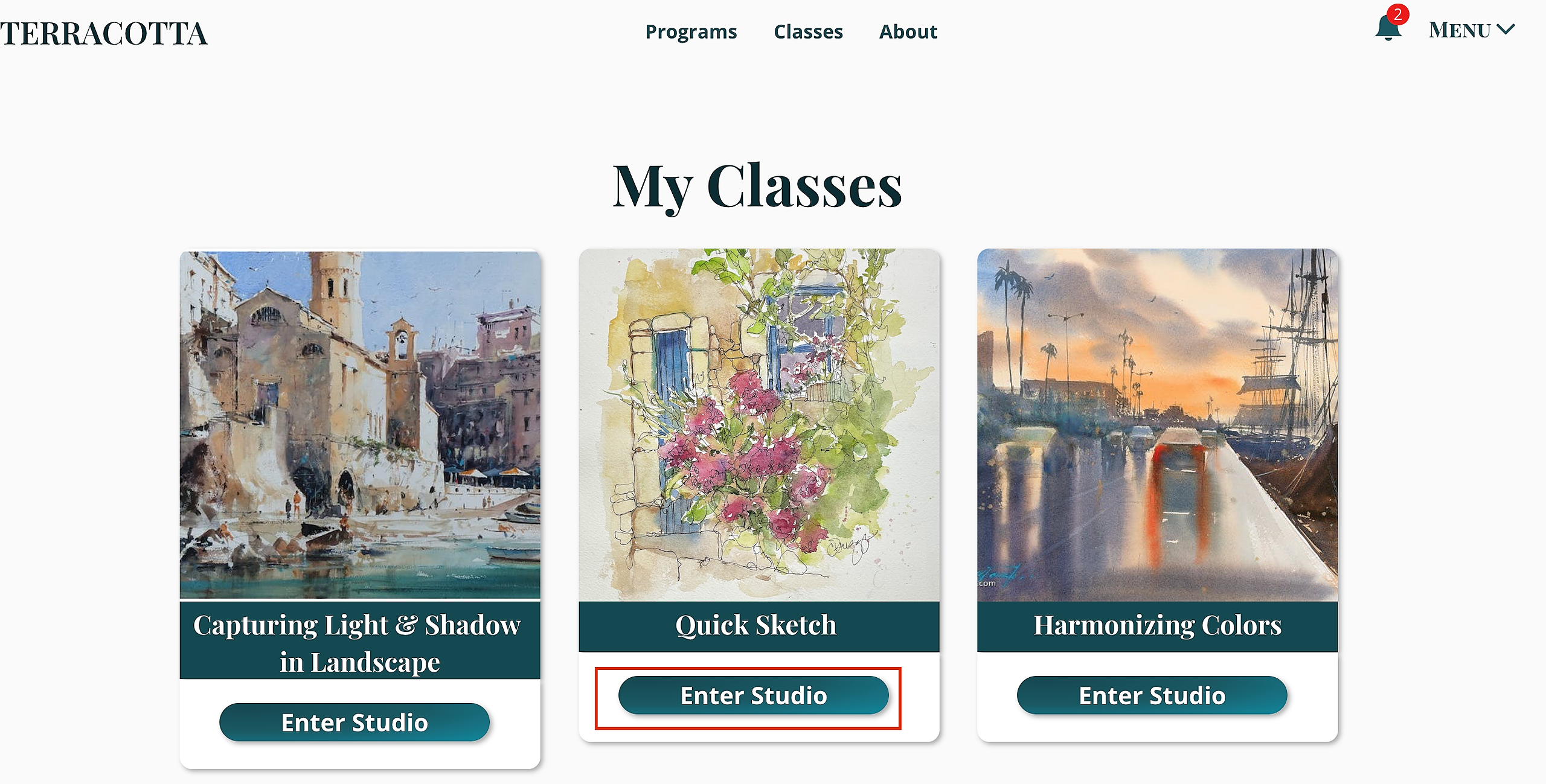
3. Select the course you are wishing to navigate to and click Enter Studio
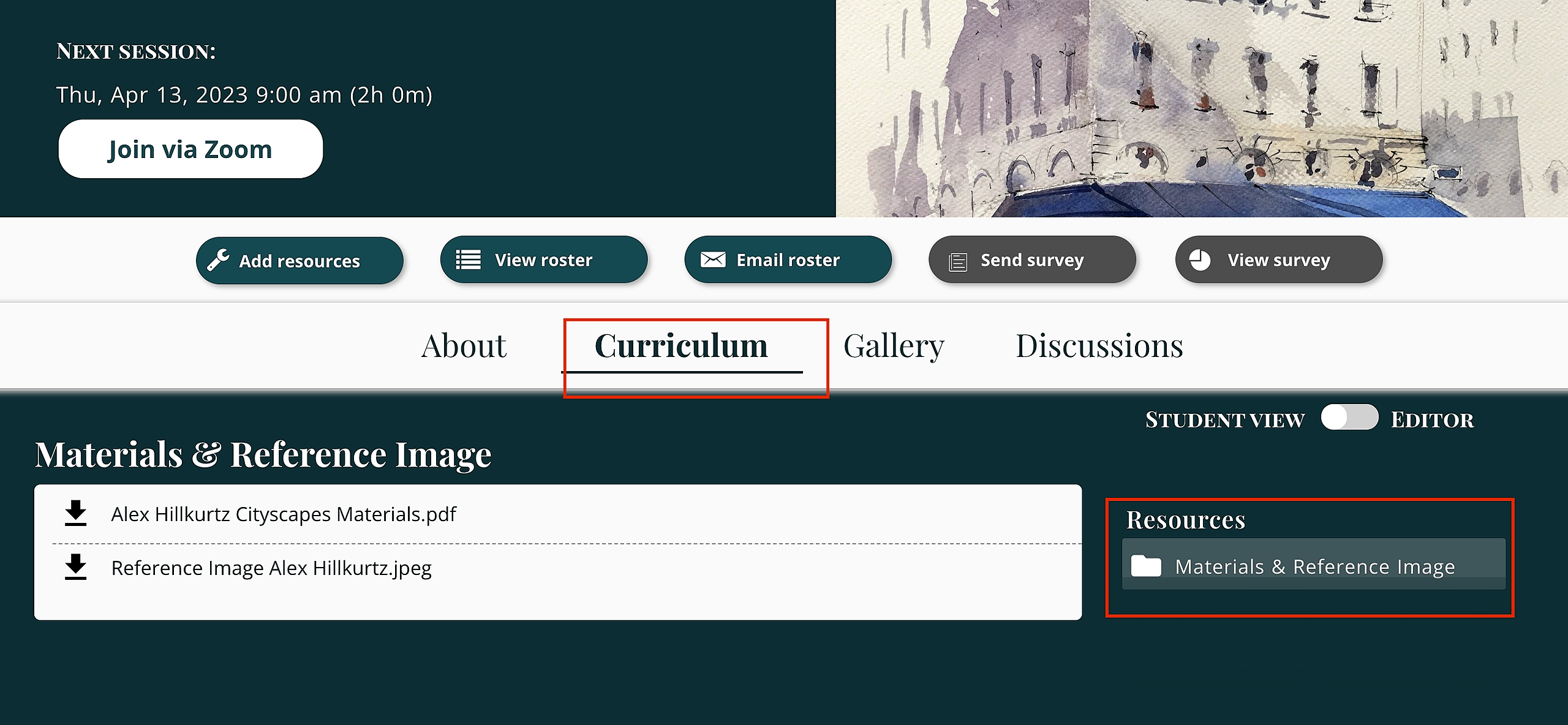
4. Once you are in the Virtual Studio, click 'Join via Zoom' at the top of the page. This will directly open the Zoom meeting for your class or event!

To access the Zoom meeting through your email reminders from Terracotta:
1. Look for an email from Terracotta. We email 24 hours, 2 hours, 1 hour prior to the session, as well as an email letting you know the class has begun! Make sure you've set all emails from Terracotta to go to your inbox, otherwise they may end up in Spam.

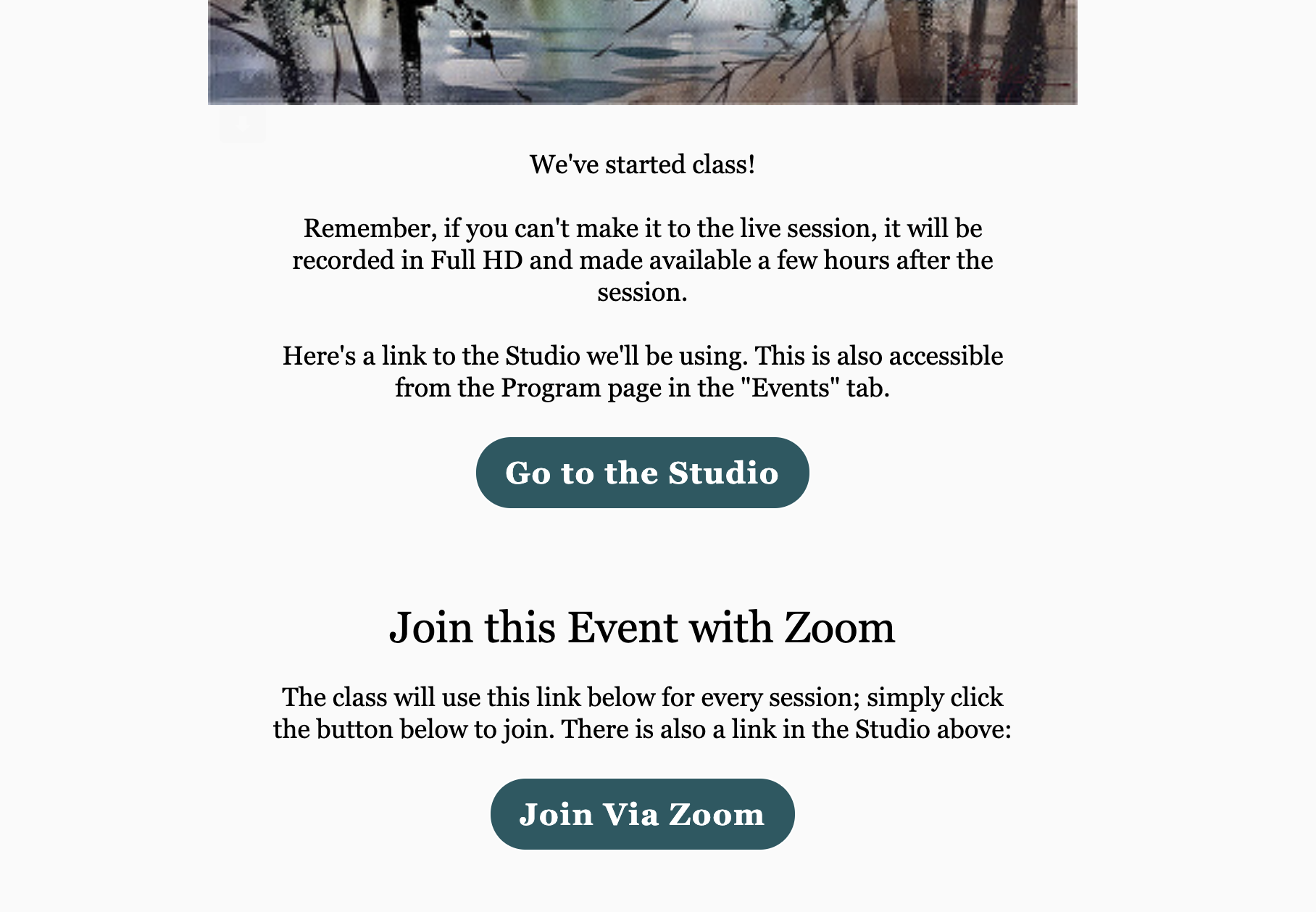
2. In the email you will find two buttons. 1 button will take you to the Virtual Studio for the class. The other button will say Join Via Zoom. Click this button and the Zoom meeting will automatically open. Please note: you will be placed in a waiting room. The moderator will let you in once the class begins.
You can find all class resources and materials under the Curriculum inside the Virtual Studio section: