

1. Log In to your Terracotta Account at www.terracotta.art by clicking the Log In button at the top right hand corner of the homepage. If you do not see a Log In button, that means you are already logged in to your account. Proceed to step 2.
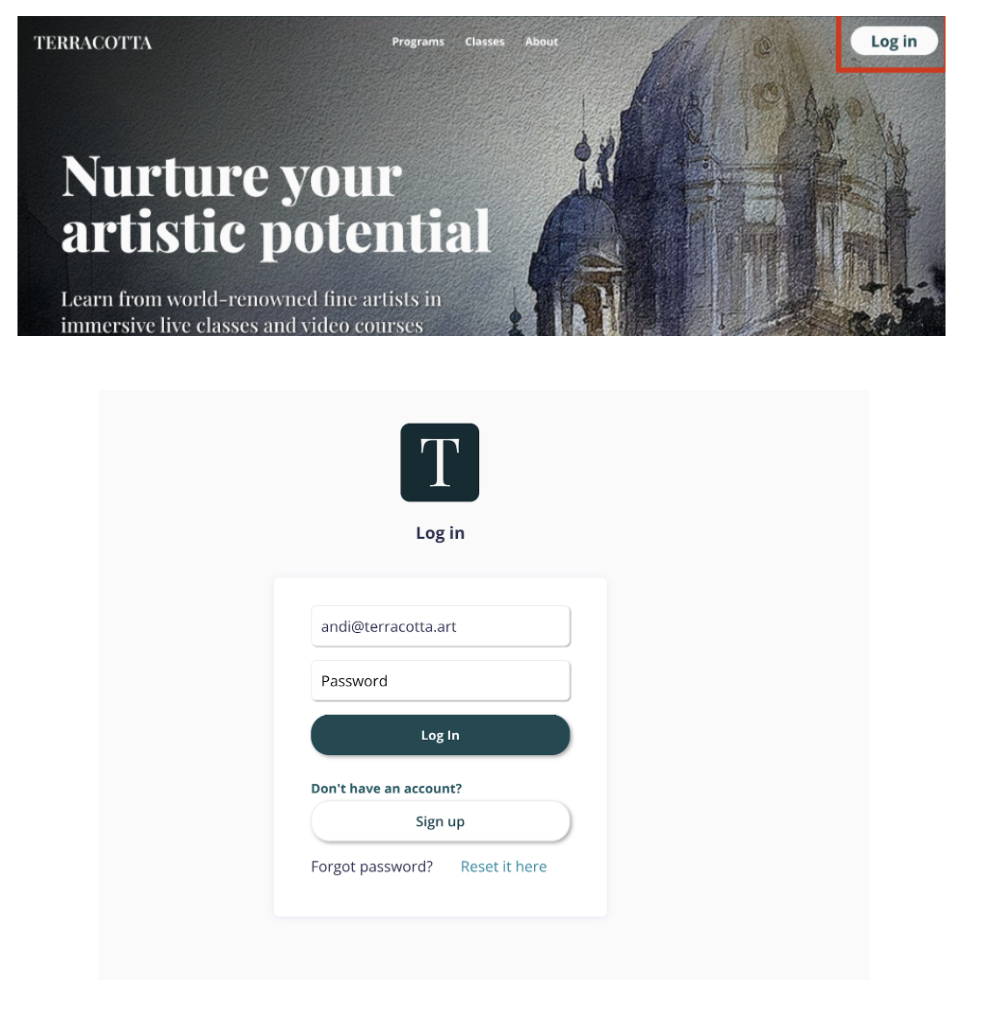
(If you need help logging in click here: Accessing your Terracotta Account)
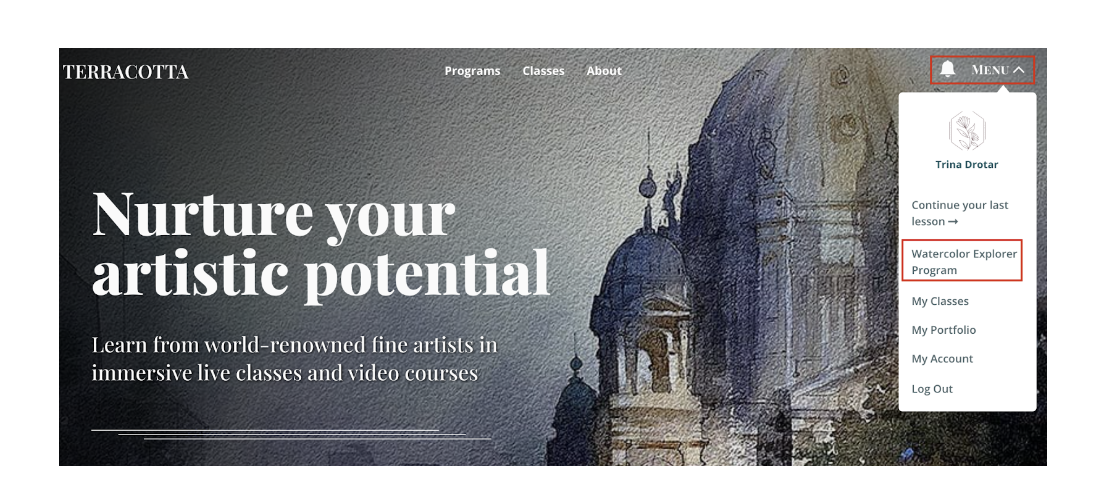
2. On the homepage, you will see a Menu button. Click this button to show a drop down list. Select Watercolor Explorer Program.
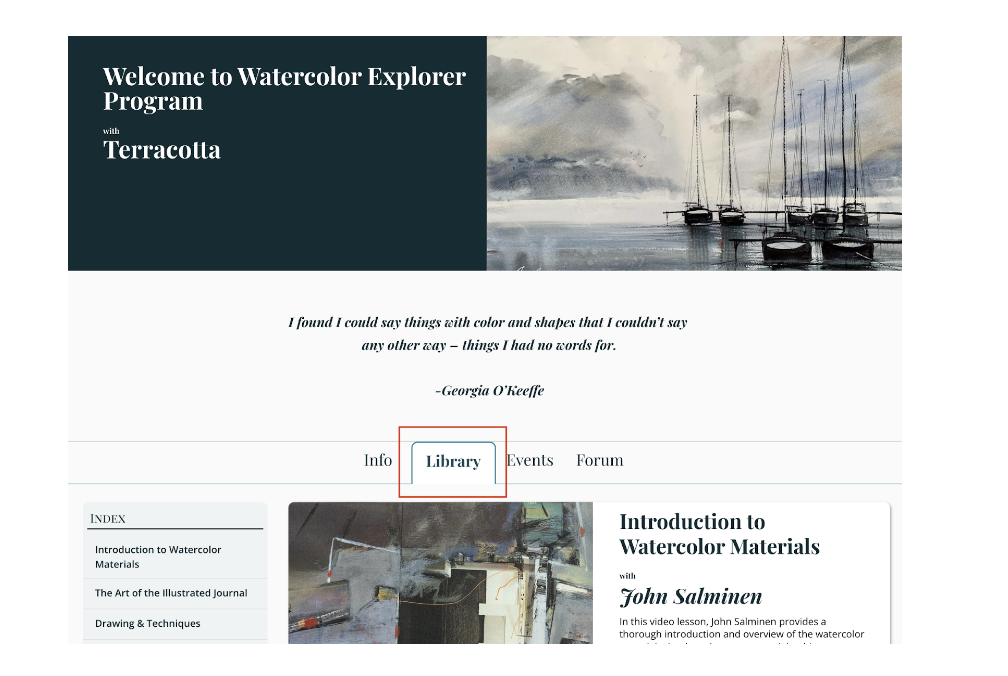
3. Once inside the Watercolor Explorer Studio, you can find all course lessons under the Library tab. Select Enter Studio for the desired lesson.
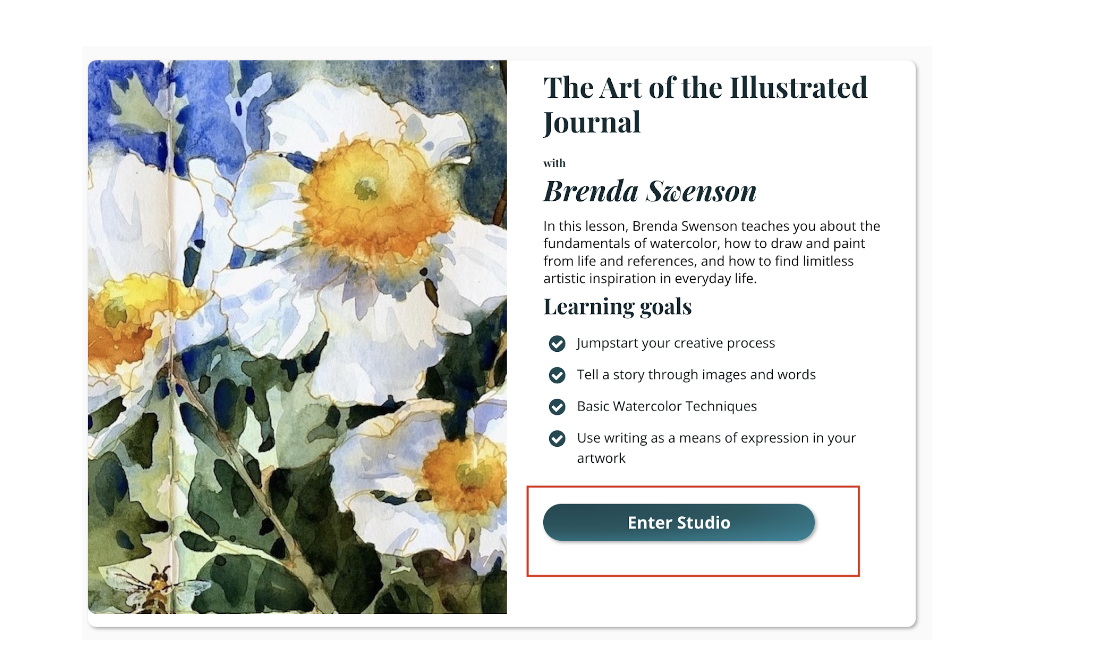
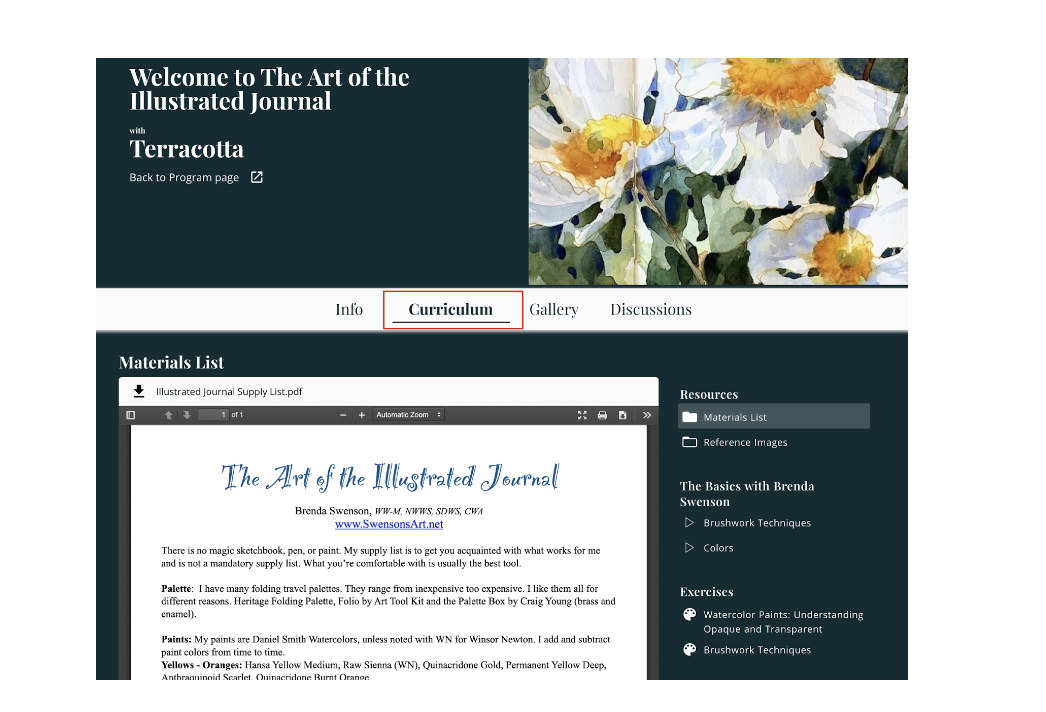
4. You will then be redirected to the course studio. Click the Curriculum tab to find all course videos, as well as any assignments, reference images, and materials lists.
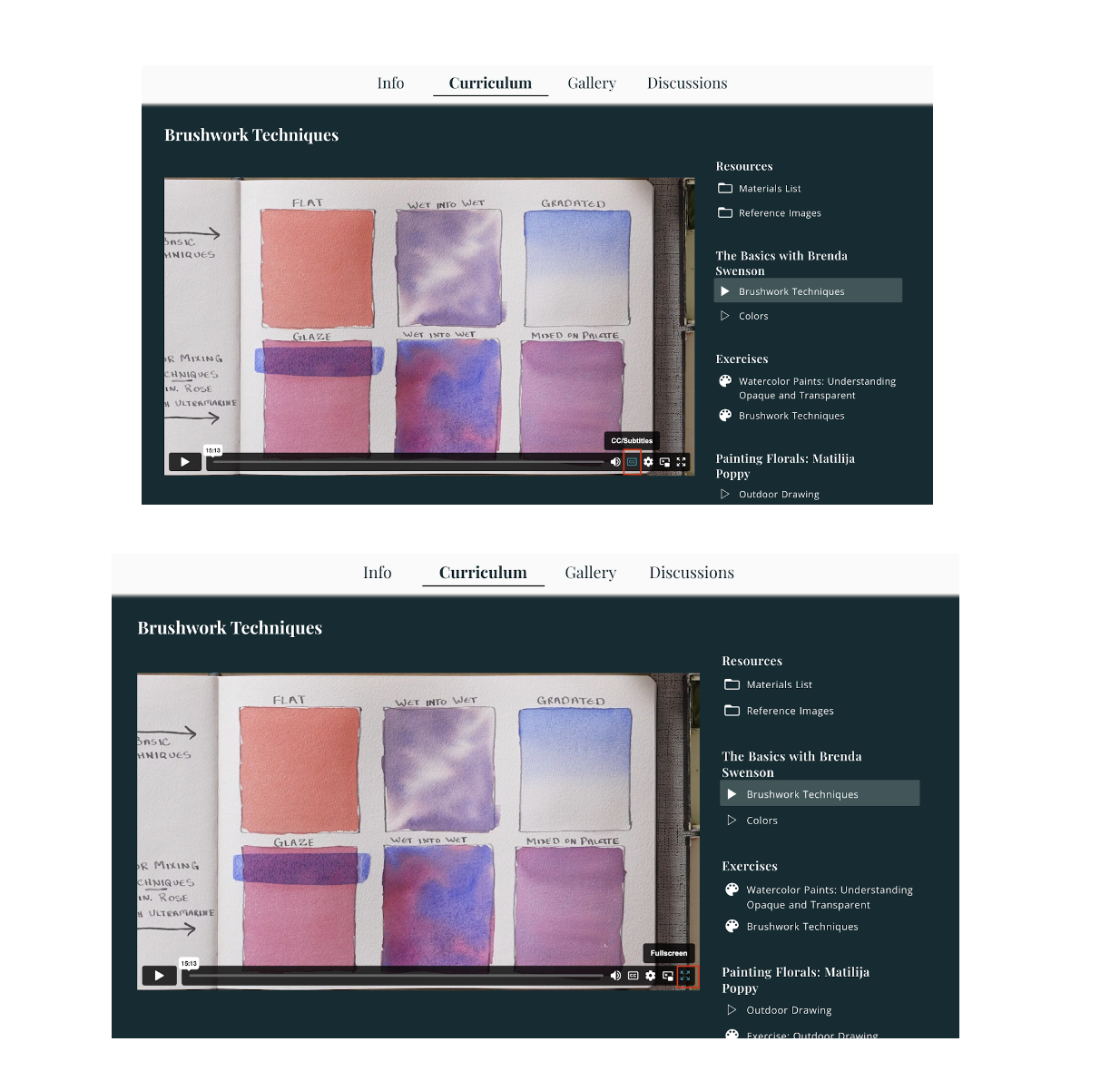
You can click through each video, starting and stopping as often as you like. You can also choose to turn on Closed Captions or expand the video to Full Screen.
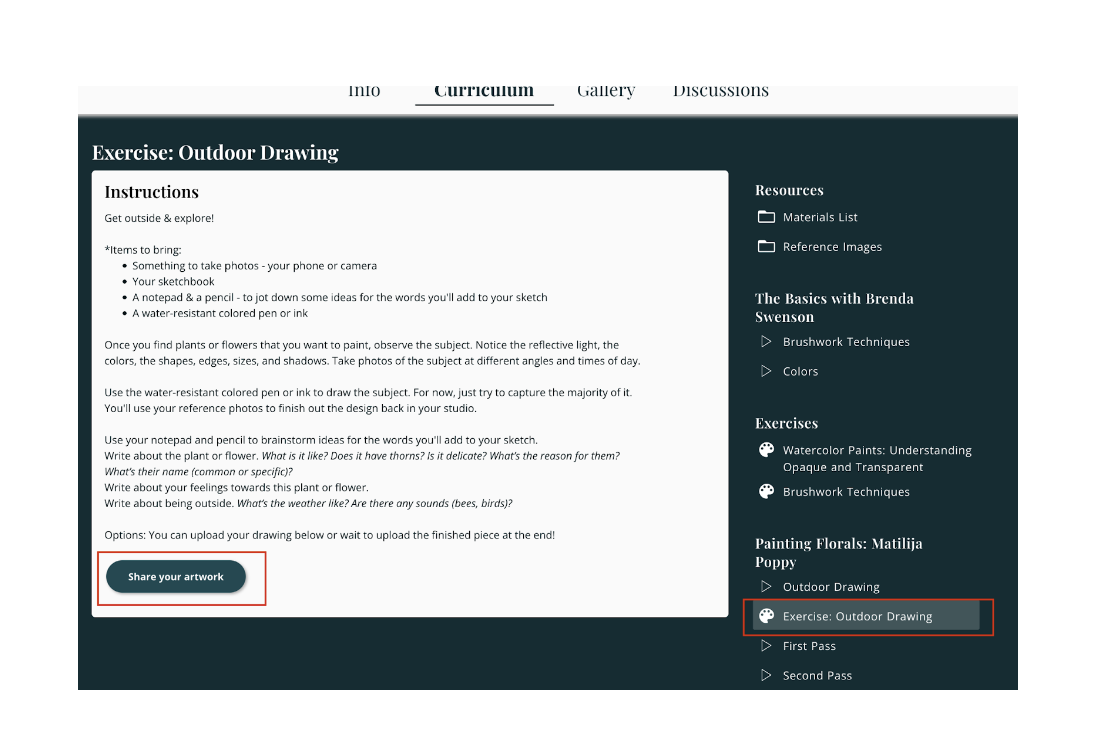
5. Also inside the Curriculum section you will find Exercises and Assignments, for which you can submit your artwork. Click on the Exercise to learn more, and press Share Your Artwork to upload your work.
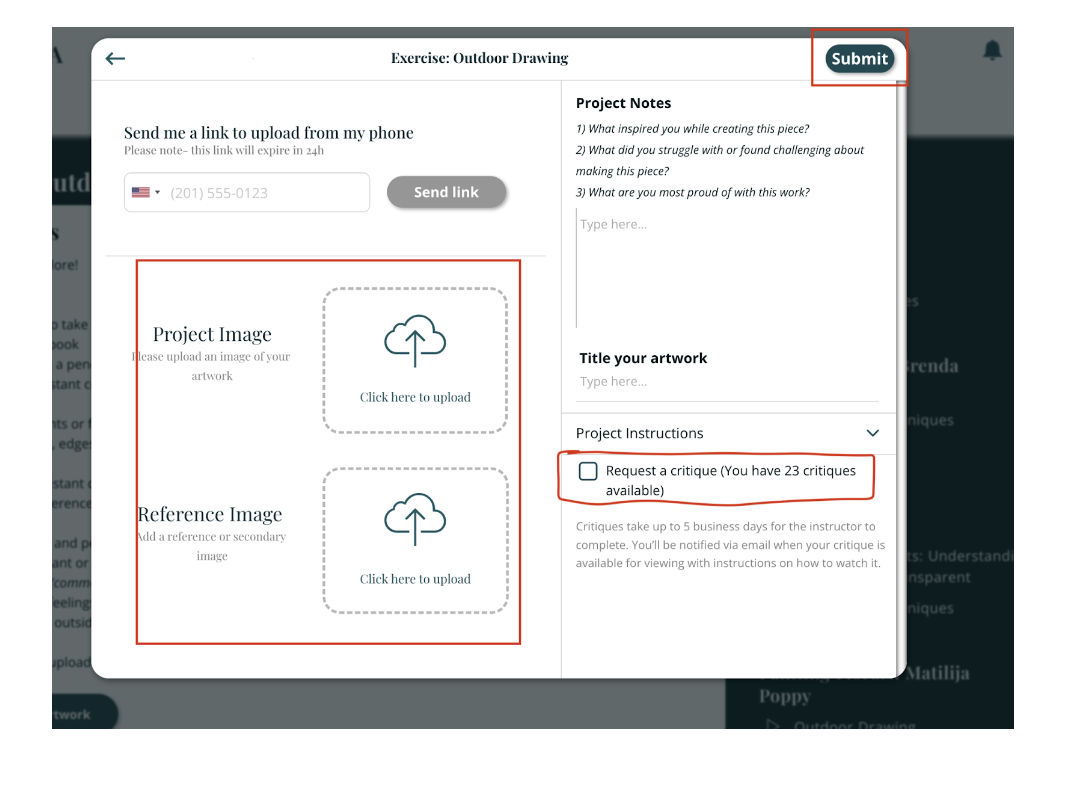
Upload a photo of your artwork from your device, including a title, notes, and a reference image. If you would like to request a critique from the instructor, check the Request a Critique box. You will also be able to see how many critique requests you have available. Critiques are only available to students in our Guided Study tier.
Upon uploading, you will then see your submitted artwork, as well as the submitted artwork by other students in the program, inside the Gallery section. You can also request a critique for the artwork you upload directly to the Gallery.
How to access live events
An exciting part of the Watercolor Explorer Program are the live events we offer monthly! You can find all upcoming events by following these steps:
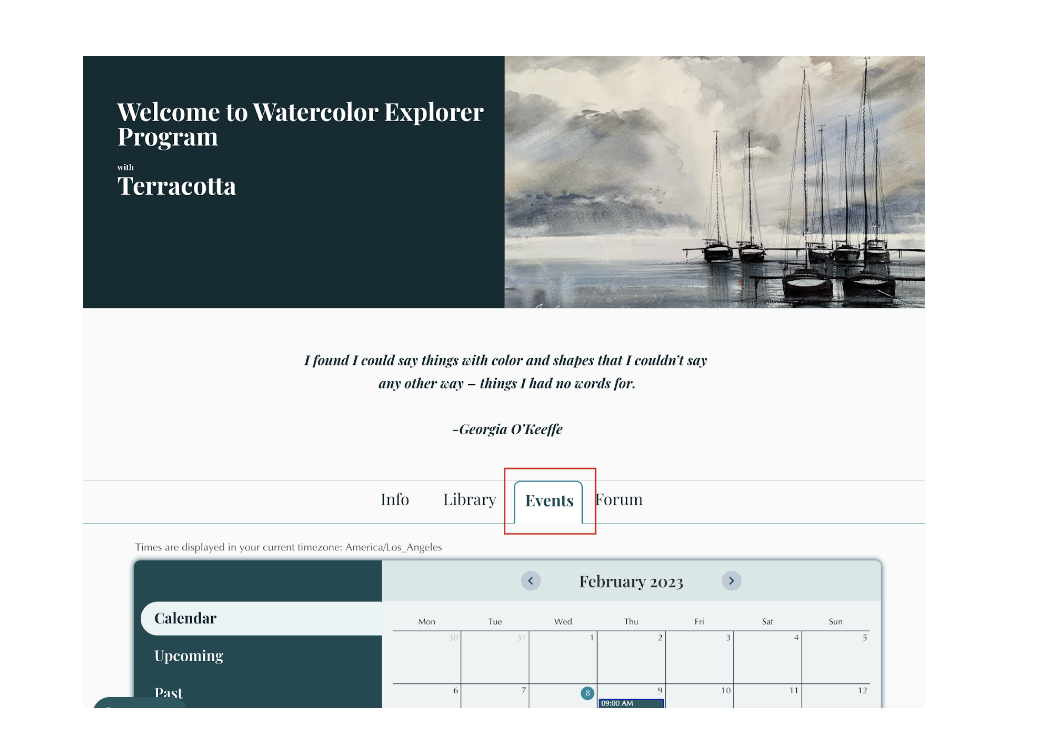
Return to the main Watercolor Explorer Program studio (as shown in Steps 2-3 above), and select the Events tab.
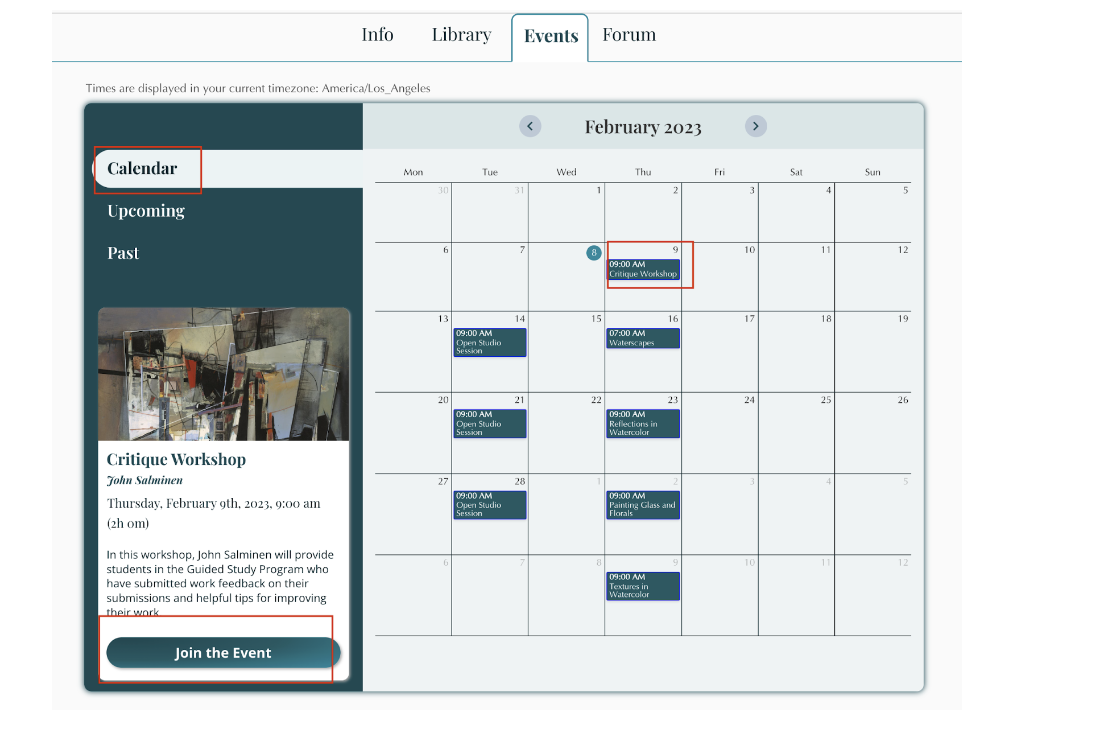
You can choose to view the monthly calendar. Click on the scheduled event of your choice, and select Join the Event to be taken to that event’s studio.
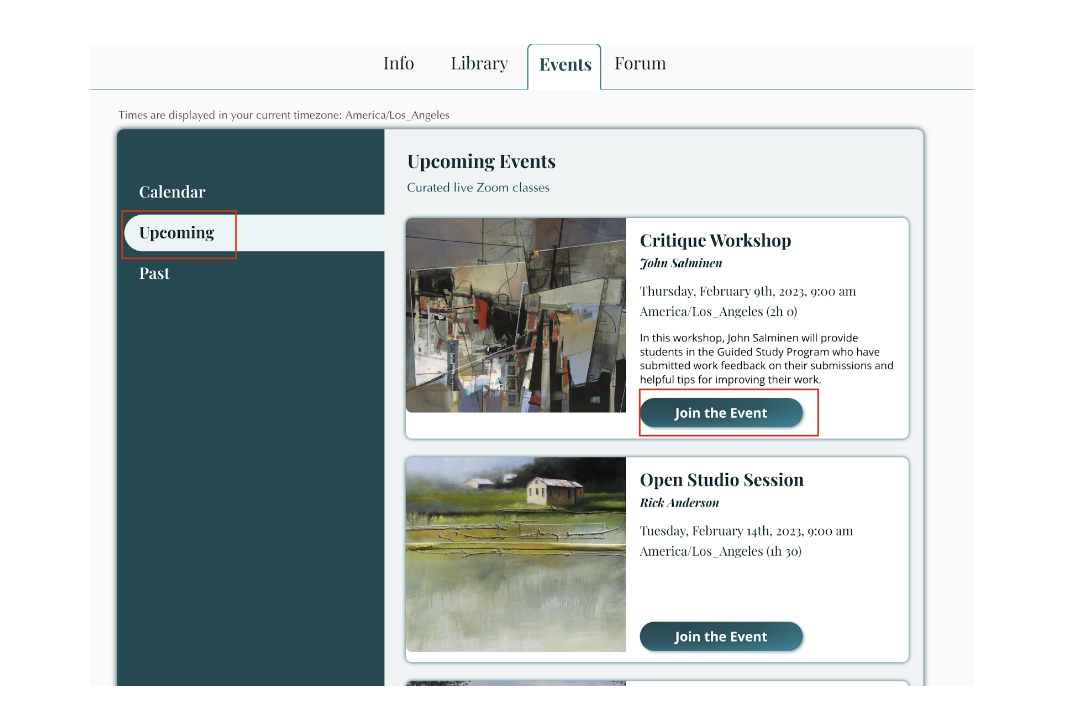
View all upcoming events as an ordered list, by clicking the Upcoming tab. Click Join the Event to be taken to the event’s studio.
Once inside the upcoming event’s studio, you will find a Join Via Zoom button which you can use to access the class on the day of the event.
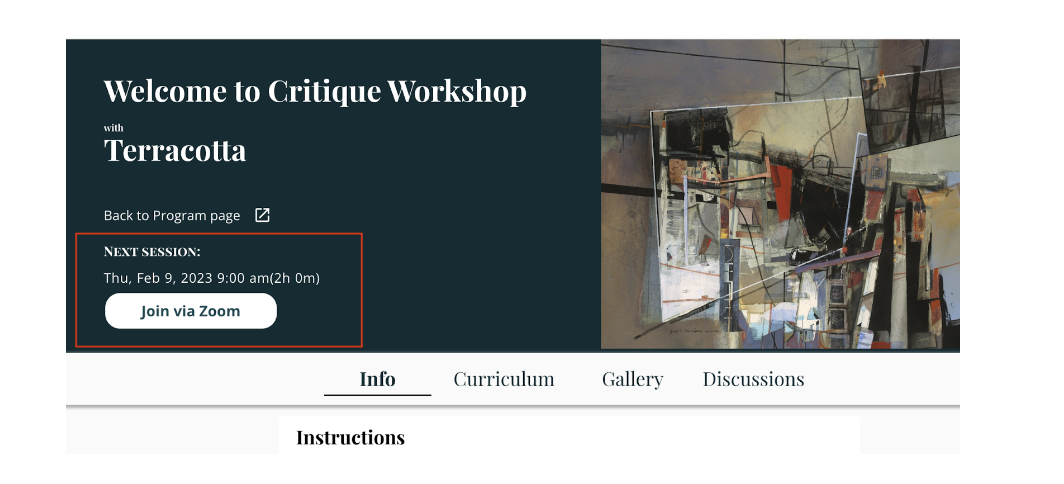
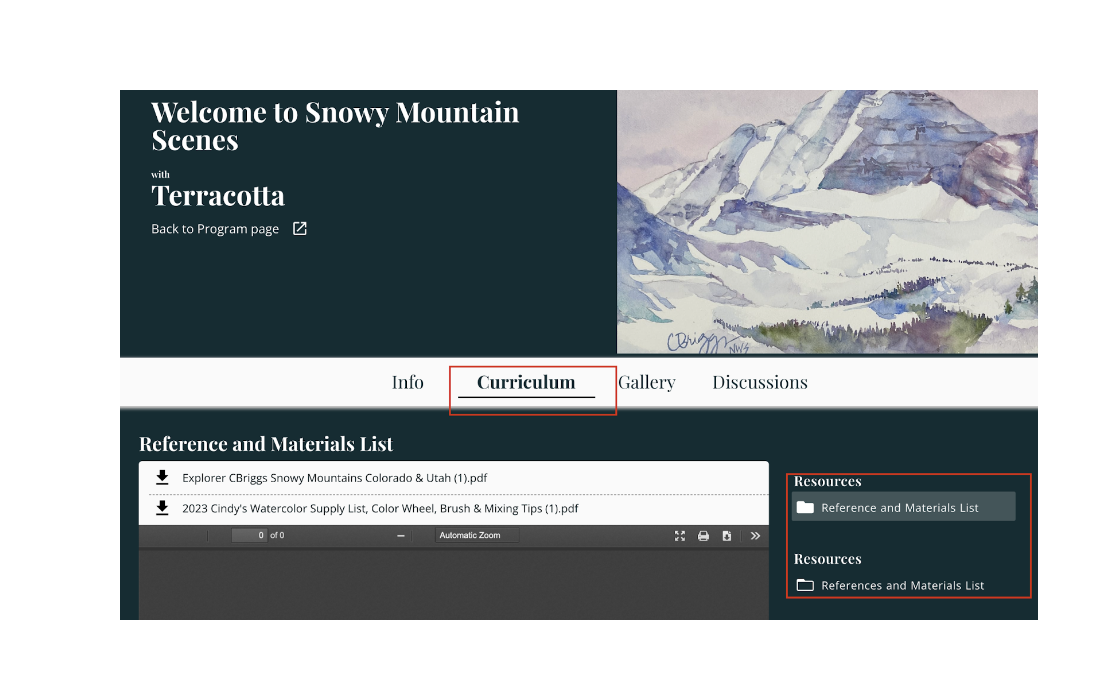
Also inside the live event studio you can find any materials lists, reference images, or submission assignments listed under the Curriculum tab.
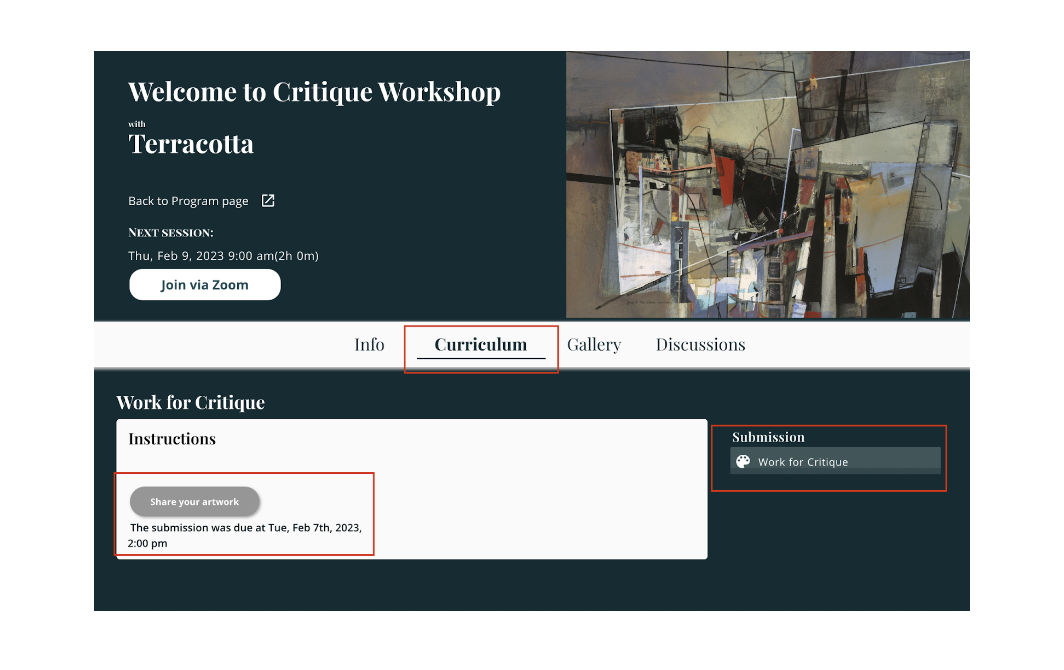
For students enrolled in the Guided Study tier only, you can also submit artwork for live critique sessions under the Curriculum tab as well. Select the Submission assignment and then Share you artwork.
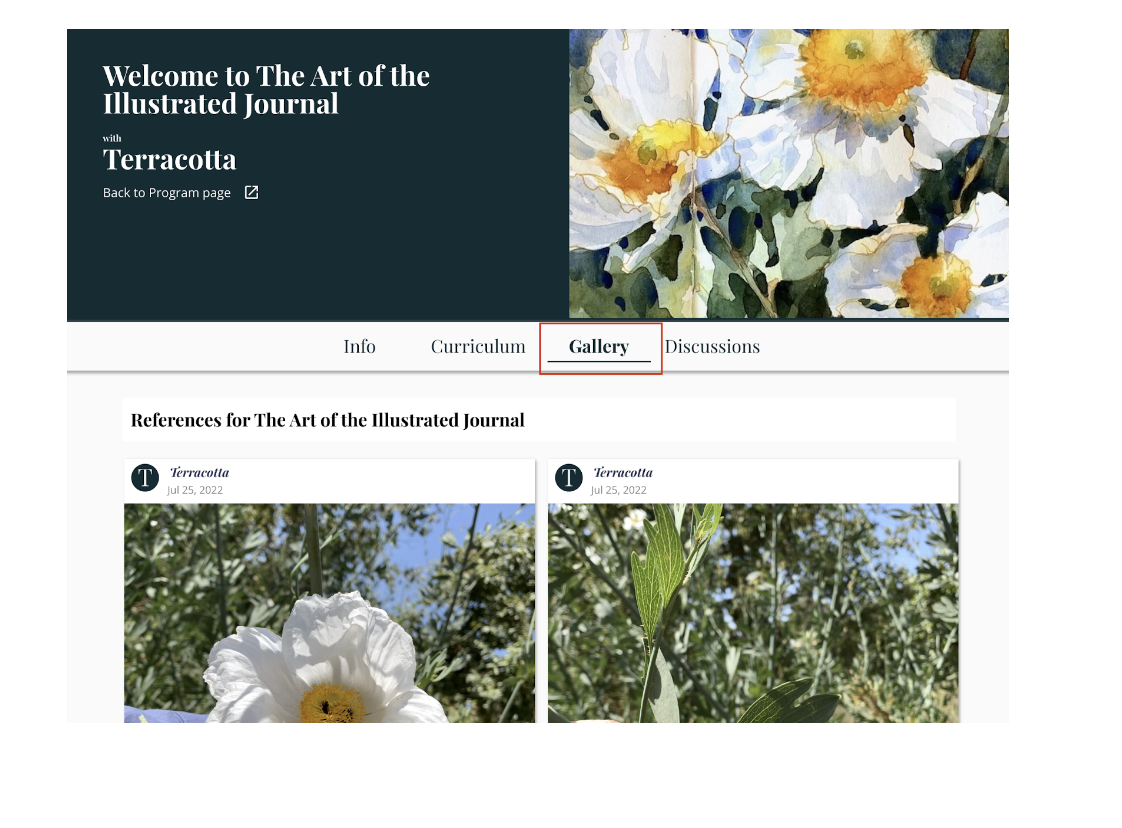
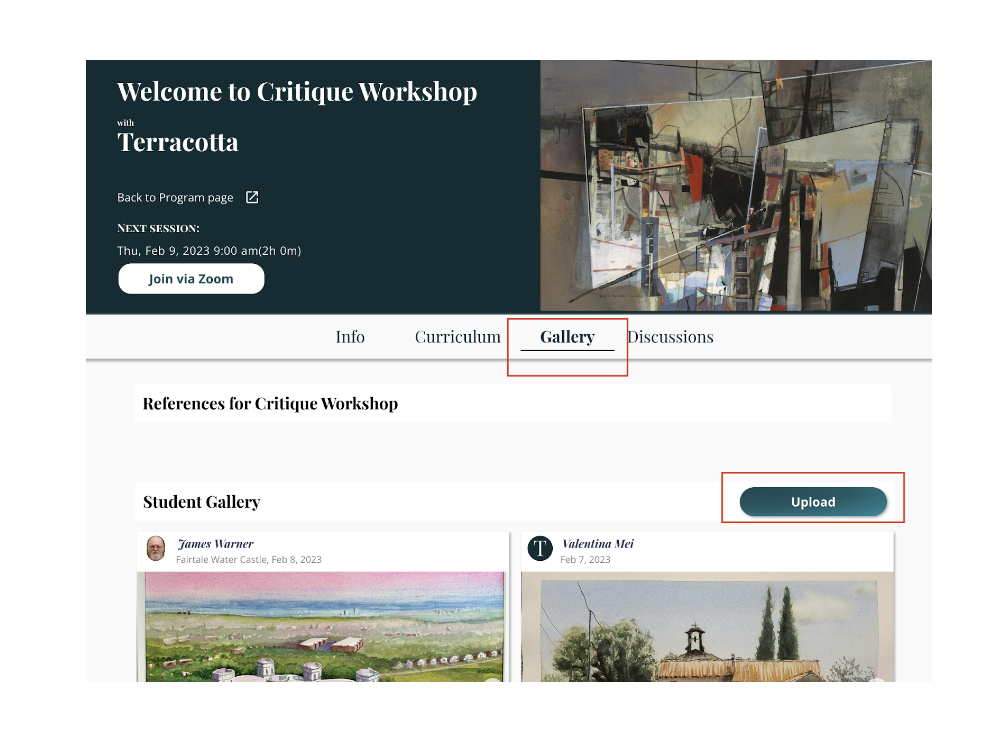
You can also access the student gallery, see any references uploaded by the instructor, view your own uploaded assignments (as well as upload your artwork if there’s no submission assignment in the Curriculum section) for the course by clicking the Gallery tab.
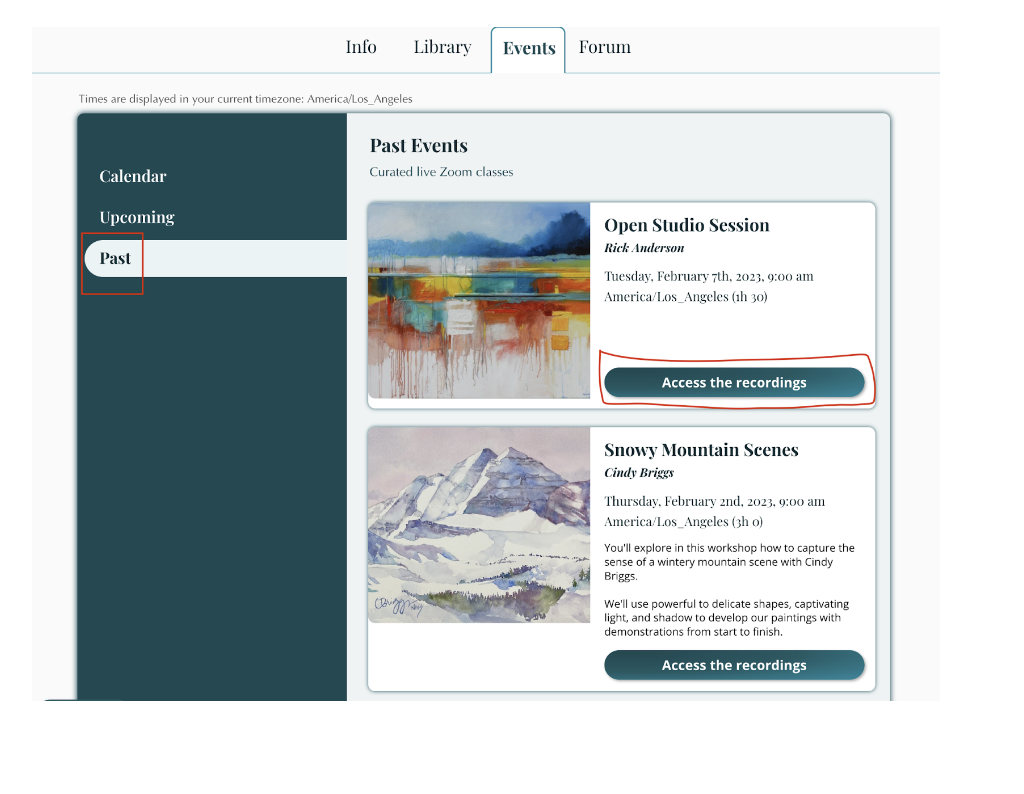
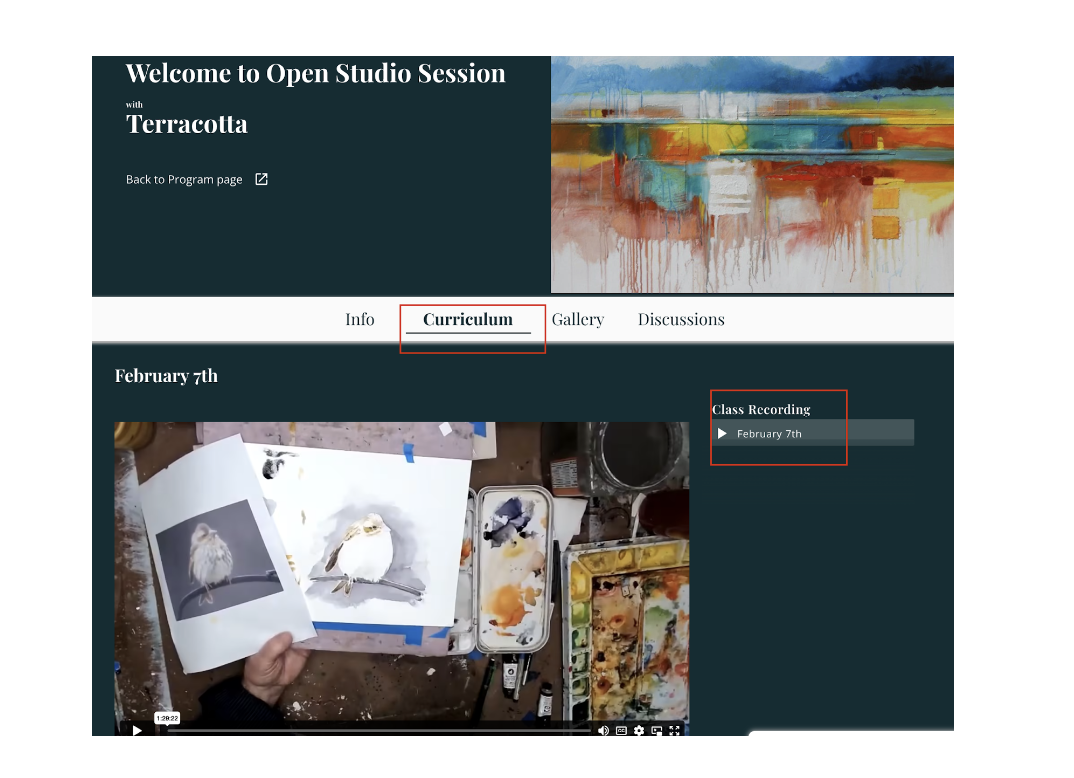
You also have the ability to see past events, and access the live session recordings, by clicking the Past tab in the Events section. Select Access the Recordings to be taken to the past event’s studio, where all video recordings can be found under the Curriculum section.
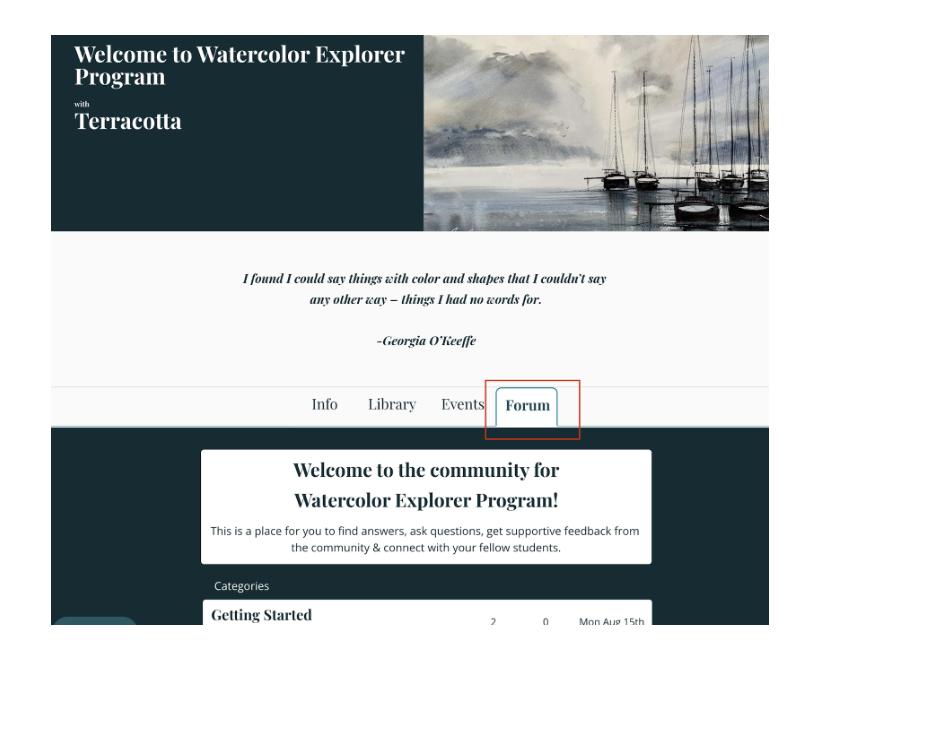
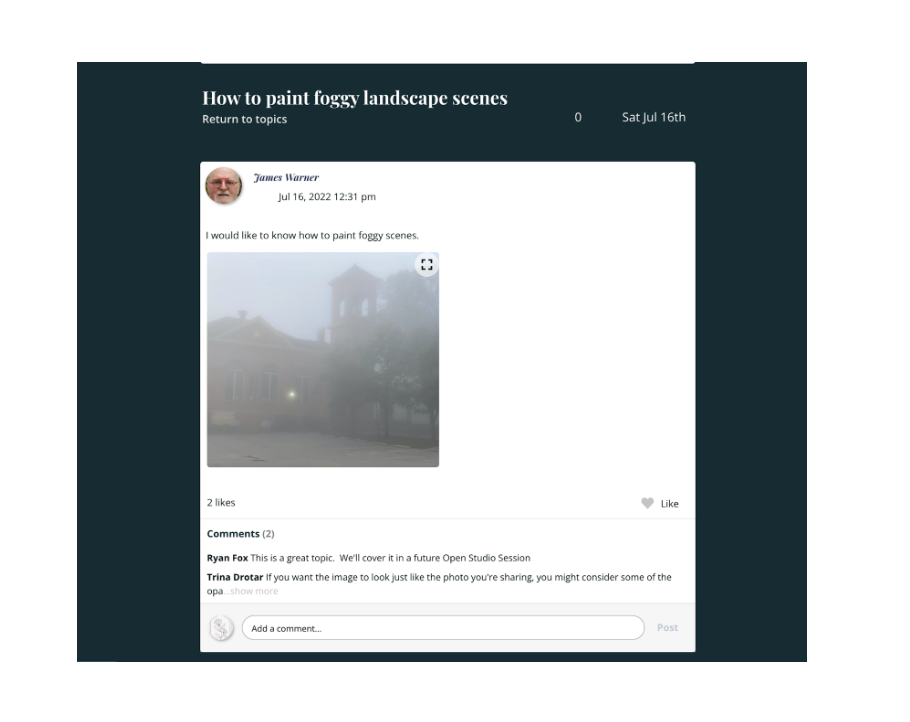
The Watercolor Explorer Program also offers a Forum where students and instructors can communicate with one another. To use the forum, go to the main Watercolor Explorer Studio page and select the Forum tab. Select the desired topic to see comments/questions left by other students as well as submit your own comments/questions.
For a video tutorial of the program, click here.
We hope you enjoy your time in the Watercolor Explorer Program! If you need any additional support, feel free to reach out to us at hello@terracotta.art.